Field service mobile apps are becoming indispensable for businesses that rely on techs working in multiple locations. These apps streamline critical operations by offering seamless scheduling, job management, and customer interaction features. Understanding their power means recognizing how they drastically improve service delivery efficiency.
Whether you're a small HVAC business or a large utilities company, the right app can transform your workflow. From dispatching jobs to managing payments, these apps provide the tools to handle it all from a single mobile device. Let's delve deeper into why these apps matter and how to develop the best one for your needs.

Why Field Service Apps Matter

Field service apps play a crucial role in modernizing the way businesses operate on the ground. They allow real-time communication, reduce manual paperwork, and increase overall efficiency. These apps offer centralized systems for tracking jobs, processing schedules, and accessing customer information, which boosts productivity and customer satisfaction.
By integrating features such as GPS tracking and real-time notifications, businesses can enhance their service quality. This means fewer missed appointments and timely job completions, leading to higher revenues and improved client relationships. A well-designed app aligns with your operational goals and addresses pain points unique to your service model.
Key Features of Field Service Apps
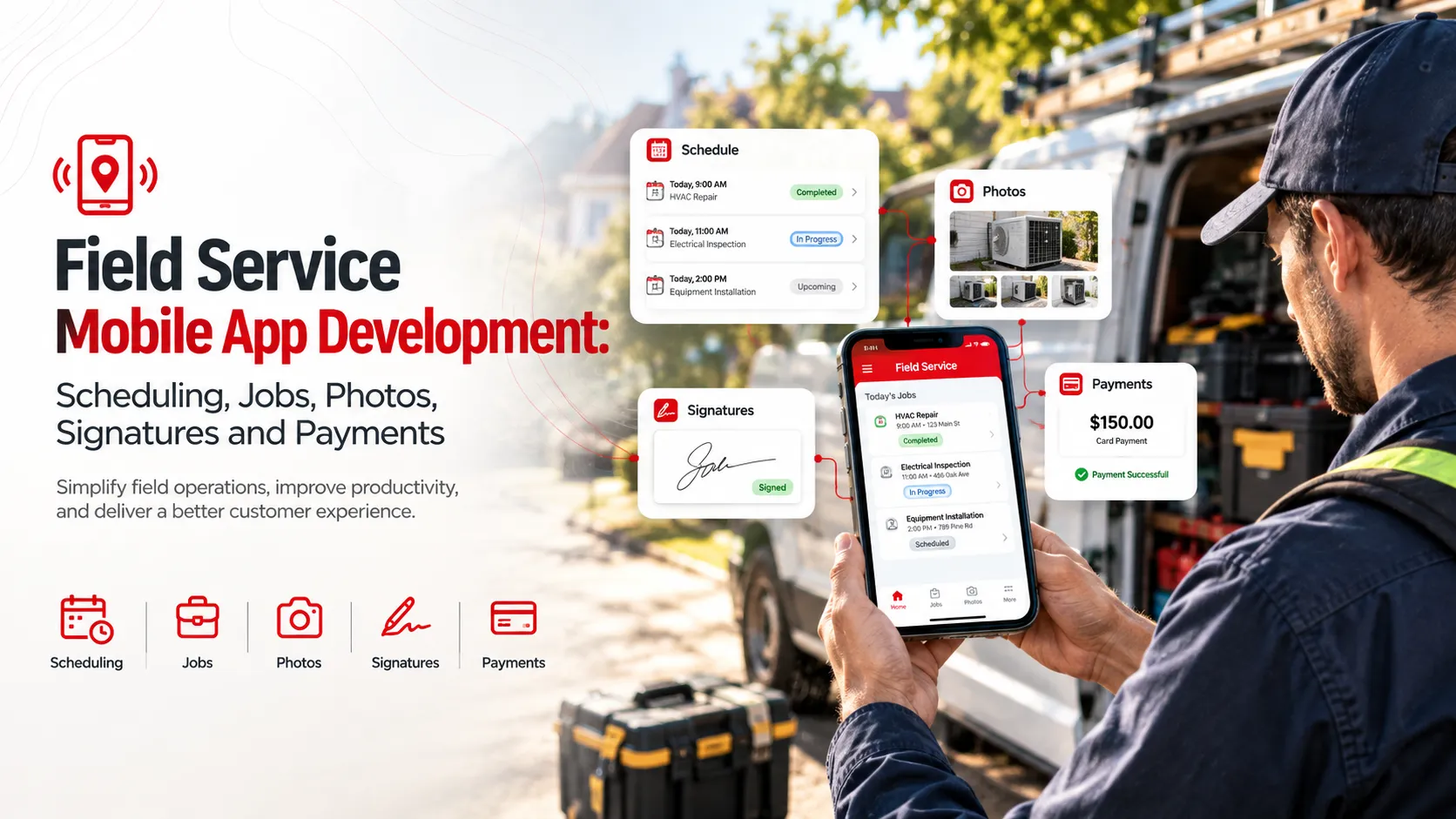
A robust field service app is rich with features like **scheduling**, which automates the complex process of dispatching resources efficiently. **Job management** features offer seamless task assignment and tracking, ensuring timely completions. **GPS integration** provides navigation assistance and enhances dispatchers’ ability to monitor field techs.
Beyond job handling, apps need **photo capture** capabilities to document completed work and **digital signatures** for swift contract approvals. These utilities reduce errors and expedite workflow, significantly impacting how quickly and accurately tasks are completed. The right features transform everyday operations.
Scheduling: Automates dispatching resources efficiently.
Job Management: Provides seamless task assignment and tracking.
GPS Integration: For navigation and monitoring.
Photo Capture: Document completed work.
Digital Signatures: Swift contract approvals.
Choosing the Right Development Platform
Selecting the right development platform hinges on your business strategy and target audience. A native app using Swift for iOS or Kotlin for Android provides optimal performance but requires separate builds for each platform. Alternatively, a cross-platform solution such as React Native allows you to maintain a single codebase.
Cross-platform options can reduce costs and development time but may sacrifice some native performance elements. If your user experience demands finely tuned native features, consider native builds despite their higher expense. Analyze your priorities to make the best decision for your mobile strategy.
| Platform | Pros | Cons |
|---|---|---|
| Native | Optimal performance | Two separate codebases |
| React Native | Single codebase | Potential performance trade-offs |
| Flutter | Fast UI rendering | Fewer third-party libraries |
Developing for iOS vs Android
Developing for **iOS** often promises higher user engagement and a unified ecosystem, but the approval process for apps is stringent. **Android** offers a broader audience scope due to its larger market share, yet it requires testing on a wide array of devices, which can complicate development.
Consider the demographics and device preferences of your target audience. If your clients are primarily corporate users, iOS might be ideal due to its enterprise-level support. Android could be preferable for reaching a diverse and global user base. Your strategic goals will guide the choice between the two.
Scheduling and Dispatching Jobs

Scheduling and dispatching are the heart of field service operations. A mobile app with dynamic scheduling algorithms can automatically allocate tasks to technicians based on variables like location, availability, and skill set. This streamlines the assignments, ensuring jobs are completed in the shortest possible time.
Beyond dispatching, real-time updates are crucial. They keep everyone informed about progress and necessary changes, reducing communication breakdowns. An efficient system reduces idle time, boosts productivity, and ensures that techs arrive at their destinations ready to work. Integration with calendar systems enhances scheduling accuracy.
Capturing and Managing Photos
Photo capture functionality within a field service app offers visual documentation of performed work, which aids in maintaining transparency with clients. Visual records help resolve disputes by providing evidence of service delivered. This feature elevates reporting accuracy and supports accountability.
For effective management, photos should be easy to tag, store, and retrieve. Integration with cloud storage solutions like AWS S3 ensures that images are securely backed up and accessible when required. This setup ensures photo handling is efficient and aligned with data governance standards.
Implementing Digital Signatures
Digital signatures provide a secure and efficient way to capture client approvals. This reduces paperwork and speeds up transaction times. It ensures contracts and work orders are signed and validated instantly, improving turnaround times and reducing the risk of errors.
Implementing them in field service apps involves integrating with APIs from providers like DocuSign or Adobe Sign. Ensure these signatures comply with legal standards like eIDAS in Europe or ESIGN in the U.S. Integration must be smooth and secure, enhancing user trust and satisfaction.
Legal Compliance: Ensure alignment with regional laws.
Security: Safeguard against unauthorized access.
API Integration: Use providers like DocuSign.
Efficiency: Faster transaction times with minimal errors.
Integrating Payment Solutions
Integrating payment solutions such as Stripe or PayPal into your field service app enhances the user experience. It allows technicians to process payments immediately after service delivery. This reduces delays, ensuring faster payment cycles. Immediate invoicing and payments also improve cash flow and provide transparency in transactions.
For field workers, having an integrated payment system means fewer administrative tasks. It allows them to focus more on their core responsibilities. A well-integrated payment system also reduces errors and simplifies financial records management. Customers benefit from quick and easy transactions, gaining confidence in the service.
Security Considerations
Security is a crucial aspect of field service apps. With sensitive data like customer details and payment information, it's vital to prioritize robust security measures. Implementing end-to-end encryption and secure data storage protocols protects user information. Utilizing multi-factor authentication adds an additional layer of security against unauthorized access.
Regular security audits and updates ensure vulnerabilities are addressed promptly. Establishing secure APIs is also critical. They allow safe data exchange between the app and other integrated systems. For comprehensive security, compliance with data protection regulations like GDPR or CCPA should be maintained.
User Experience Design for Field Apps
Designing for field service apps requires a focus on usability and simplicity. Field workers need quick access to essential functions without navigating complex menus. Clear icons, intuitive layouts, and easy-to-read fonts contribute to a smoother user experience. Design should accommodate different environments from bright sunlight to dimly lit areas.
Managers also need intuitive dashboards to monitor field operations in real-time. Incorporating filters and search functions helps them find information quickly. Consistency in design elements across different screens builds familiarity and reduces the learning curve.
Feedback loops: Incorporate user feedback for ongoing improvements.
Offline capabilities: Ensure functionality without internet access.
Customization: Allow personalized settings for unique user needs.
Cost Breakdown of Development
Developing a field service app involves various costs. These range from initial design and development to testing and deployment. For a basic app, costs might range between $20,000 to $50,000. This typically includes a simple interface for scheduling and job management.
Adding advanced features like payment gateways, photo capture, and digital signatures can increase the price substantially. Enterprises may spend $100,000 or more on a comprehensive solution. Maintenance costs also add to the overall investment, ensuring app performance and updates.
| Feature | Estimated Cost Range | Comments |
|---|---|---|
| Basic App | $20k - $50k | Includes scheduling |
| Photo Capture | $5k - $15k | For documentation |
| Payment Integration | $10k - $20k | Varies by gateway |
| Digital Signatures | $5k - $10k | Improves UX |
| Full Solution | $100k+ | Comprehensive feature set |
Case Study: Success with Field Apps
One success story in the field service industry is that of a major utility company. By developing a custom mobile app, they significantly reduced response times and improved customer satisfaction. Their app integrated real-time scheduling, photo documentation, and instant invoicing.
The outcome was a 30% increase in job efficiency and a noticeable boost in customer ratings. Workers praised the app for its intuitive interface and reduced paperwork. The company saw a return on their investment within a year, showcasing the tangible benefits of field service apps.
Brandrums' Approach to Field Service Apps
At Brandrums, we prioritize understanding client needs to deliver tailored solutions. Our expertise in Mobile Application and Enterprise App Development ensures a robust framework for field service apps. We focus on seamless integration with existing systems, providing a cohesive user experience.
We employ agile methodologies to adapt and refine features throughout the development process. This ensures we meet client expectations and accommodate future needs. Brandrums' solutions are designed to scale, accommodating growing business demands without compromising performance.
Future Trends in Field Service Apps
As technology evolves, field service apps are likely to embrace AI and machine learning. These advancements can further enhance scheduling and predictive maintenance. AI-driven analytics help in understanding patterns and improving decision-making processes, adding value to field operations.
Additionally, augmented reality (AR) is gaining traction in field service. AR can assist technicians in visualizing complex systems, improving precision and efficiency. The continual advancement of app development techniques promises increasingly sophisticated and helpful tools for field workers.
Frequently Asked Questions
How much does it cost to develop a field service mobile app?
Developing a field service mobile app can cost anywhere from $50,000 to $150,000. Costs vary based on features like scheduling, payments, and platform choice. Custom integrations and advanced security add to the price. For a more precise estimate, consult with developers who understand your specific requirements.
Should I develop a field service app for iOS, Android, or both?
If budget permits, develop for both iOS and Android to reach a wider audience. Android dominates global markets, while iOS users often spend more. Cross-platform tools like React Native can reduce costs and development time. Consider your target demographic and consult user data before deciding.
What platform is best for developing field service mobile apps?
React Native is a strong choice for developing field service apps. It allows for building cross-platform apps efficiently, saving time and money. Native development in Swift for iOS or Kotlin for Android can offer better performance but at a higher cost. Evaluate your project's needs and budget.
How can I ensure security in my field service mobile app?
Implement data encryption, secure user authentication, and regular security updates. Consider using AWS or Azure for robust cloud security options. Secure APIs and educate your users on best practices to enhance security. Regular security audits help identify vulnerabilities early.
Do I need a custom field service app or can I use pre-built solutions?
Custom apps offer tailored solutions but are costlier. Pre-built solutions like ServiceTitan or Jobber provide quicker deployment and lower costs. If unique features or integrations are essential, opt for custom development. Assess your specific needs and budget constraints before deciding.
How long does it take to develop a field service mobile app?
App development typically takes 4 to 9 months based on complexity and features. Extensive features like custom integrations or advanced UI design can extend the timeline. Agile methodologies can help adjust features and timelines as needed. Work closely with developers for accurate time estimates.
Tags
About the Author

Daniel Brooks
Daniel covers web development, artificial intelligence, product design, and the technology decisions that help modern businesses grow.