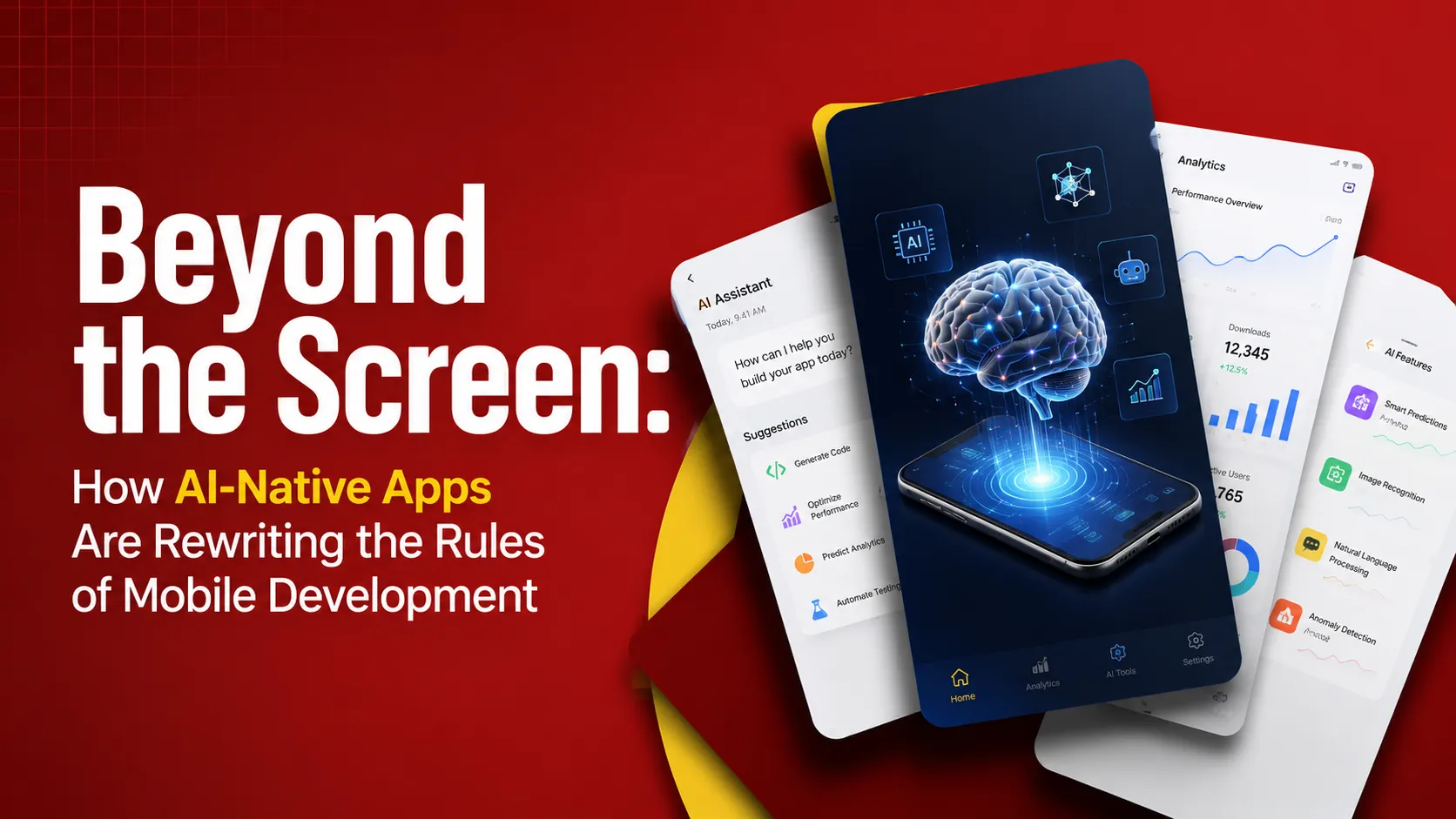
AI-Native Apps: The Future of Mobile Development
There was a time , not that long ago, really , when a mobile app was judged by how fast it loaded, how clean its interface looked, and how few taps it took to get from point A to point B. Those things still matter. But somewhere in the last few years, the ground shifted under the entire industry. Apps stopped being static containers for features and started becoming living systems that learn, predict, and converse with the people using them.
We call this new generation "AI-native apps," and they are not just a trend to watch from a distance. They are actively rewriting how developers plan, build, test, and ship mobile software. If you run a business, manage a product team, or work with a development partner, understanding this shift isn't optional anymore , it's the difference between building something that feels dated on launch day and building something that feels like it belongs in the world we actually live in now.
This piece is a deep dive into what AI-native really means, why it matters, how it's changing the day-to-day work of app development, and what it means for companies searching for the right partner , including the growing number of businesses looking specifically for mobile app development California teams who understand this new landscape firsthand.
Let's get into it.
Mobile development has been reinvented a few times before , the jump from feature phones to smartphones, the rise of app stores, the shift to cloud connected everything. What's happening now, with AI native apps, feels like it belongs in that same category of genuine reinvention rather than incremental improvement.
The apps winning attention and loyalty right now aren't the ones with the flashiest AI logo in their marketing. They're the ones that quietly, reliably use intelligence to remove friction, anticipate needs, and act on a user's behalf in ways that actually earn trust over time. Getting there requires rethinking architecture, interface design, testing, and the entire relationship between developer and model.
For companies serious about building in this new landscape, working with teams that have real, hands-on experience matters more than ever , which is exactly why so many are turning to mobile app development California specialists who've been living inside this shift since it started, rather than reading about it secondhand.
The screen isn't going away. But what happens behind it, and how it responds to us, is being rewritten in real time.
FAQs
What Does "AI-Native" Actually Mean?
Let's clear up a common confusion first. An app with a chatbot bolted onto it is not automatically "AI-native." Neither is an app that occasionally calls an API to summarize text. Those are apps with AI features , useful, sure, but fundamentally the same kind of software we've had for a decade, just with a new widget stapled on.
An AI-native app is different in a structural way. Intelligence isn't an add-on; it's the foundation the whole product is built around. The data flows, the interface decisions, the backend architecture, even the way user feedback loops are designed , all of it assumes that a model is going to be reasoning, predicting, or generating something at nearly every step.
Think of the difference between a car with a rearview camera added to it, versus a car designed from the ground up around autonomous driving sensors. Both have cameras. Only one was designed assuming the camera is central to how the whole vehicle functions.
That's the leap mobile development is making right now.
The Old Rules of Mobile Development (And Why They're Breaking)
For years, mobile development followed a fairly predictable playbook:
Define fixed features and user flows before writing code.
Design static screens with a known number of states.
Build a backend that serves data through defined endpoints.
Test the app against a finite list of expected behaviors.
Ship, gather analytics, and iterate slowly based on usage patterns.
This playbook worked because apps were deterministic. A button did one thing. A screen showed one layout. If the developer knew the code, they knew the app.
AI-native development breaks nearly every one of these assumptions:
Features aren't fixed; they emerge from what the model can reason about, which keeps expanding.
Interfaces are not static; they morph based on context, mood, history, and intent.
Backends aren't just data pipes; they're increasingly reasoning engines with memory and judgment.
Testing isn't about checking fixed outputs; it's about evaluating a range of acceptable, sometimes unpredictable, responses.
Iteration doesn't happen only after launch , it can happen live, in real time, as the model adapts to a single user's behavior within a single session.
This is a genuinely different discipline. Developers who were trained purely on the old playbook are having to relearn parts of their craft, and companies that keep hiring or outsourcing under old assumptions are noticeably falling behind.
The Architecture Shift: From Feature-Based to Intelligence-Based Apps
In the old model, an app's architecture was organized around features: a login module, a checkout module, a messaging module. Each did a distinct job, and they mostly stayed in their lane.
In AI-native apps, the architecture increasingly organizes itself around layers of intelligence rather than isolated features:
The Data Layer : This used to just store and retrieve information. Now it also includes vector databases and embeddings, which let an app understand meaning and similarity, not just exact matches. A search for "cozy jacket for cold mornings" can return relevant products even if none of the product names contain those exact words.
The Reasoning Layer : This is where large language models or smaller specialized models sit, interpreting requests, making decisions, and generating responses. This layer didn't exist in most consumer apps five years ago. Now it's often the busiest part of the stack.
The Orchestration Layer : This coordinates multiple models and tools together. A single user request "plan my grocery list based on what's in my fridge and my calendar this week" might trigger a vision model to identify items from a photo, a reasoning model to plan meals, and a calendar API to check availability, all orchestrated in sequence.
The Memory Layer : Persistent memory of user preferences, past interactions, and context is becoming a standard architectural component, not an experimental feature. This is what allows an app to feel like it "knows" its user over time.
The Interface Layer : No longer a fixed set of screens, but a rendering layer that can assemble UI dynamically based on what the intelligence layers decide is relevant in the moment.
This is a genuinely more complex system to build and maintain, which is part of why experienced teams including many known for mobile app development California clients rely on cutting-edge builds are investing heavily in retraining engineers and rethinking their standard project templates.
On-Device AI vs. Cloud AI: The New Balancing Act
One of the trickiest engineering questions in AI-native development is where the intelligence should actually live: on the device, in the cloud, or split between both.
On-device AI : offers speed and privacy. Because the model runs locally, there's no round-trip to a server, which matters enormously for real-time features like live translation, camera-based recognition, or predictive text. It also means sensitive data , health information, financial details, private messages , never has to leave the phone.
The tradeoff is capability. On-device models are constrained by the phone's memory, battery, and processing power. They tend to be smaller and less capable than their cloud counterparts.
Cloud AI : offers access to far larger, more capable models, but introduces latency, connectivity dependence, and greater privacy considerations since data has to travel to a server.
Most serious AI-native apps today use a hybrid approach: lightweight models handle immediate, privacy-sensitive tasks on-device, while heavier reasoning gets routed to the cloud when the task demands it and connectivity allows. Getting this balance right is one of the more technically demanding parts of modern app engineering, and it requires developers who genuinely understand both mobile hardware constraints and model behavior , a combination that's still relatively rare, which is part of why the talent market around this specialty is so competitive right now.
Conversational and Adaptive Interfaces
Tap-based, menu-driven interfaces aren't disappearing, but they're no longer the only or even the primary way people interact with apps.
Conversational interfaces let users simply describe what they want in plain language, and the app figures out how to fulfill it. This isn't limited to chatbots in the traditional sense.
It's showing up in:
Voice-first navigation in apps where typing is inconvenient (driving, cooking, exercising).
Natural language search that replaces rigid filters and dropdowns.
In-app assistants that can complete multi-step tasks based on a single request.
Adaptive interfaces go a step further. Instead of every user seeing the same layout, the app rearranges itself based on inferred intent. A fitness app might show a "log workout" button front and center for someone who exercises every morning at 7 a.m., while showing meal-planning tools to someone whose behavior suggests they're more focused on nutrition.
This kind of interface design requires a fundamentally different mindset from traditional UI/UX work. Designers now need to think in terms of probable states and ranges of behavior, rather than a fixed set of screens they can fully control and test in advance.
Personalization at a Level We Haven't Seen Before
Personalization used to mean showing a user's name in a welcome banner, or recommending products based on past purchases. AI-native personalization is a different animal entirely.
Modern apps can now:
Adjust tone and complexity of written content based on how a user tends to communicate.
Predict what a user is likely to need next based on subtle contextual signals (time of day, location, recent activity, even typing speed).
Generate entirely unique content , not just select from pre-made options , tailored to an individual, such as a custom workout plan, a personalized itinerary, or a bespoke financial summary.
This depth of personalization is powerful, but it also raises real questions about data use, consent, and how much prediction feels helpful versus invasive. The apps that get this right treat personalization as something earned through transparency, not something extracted quietly in the background.
Agentic Apps: When Your App Takes Action on Your Behalf
Perhaps the most dramatic shift is the rise of agentic behavior , apps that don't just respond to requests but actually complete multi-step tasks autonomously, checking in with the user only when necessary.
Examples already appearing in the wild:
A travel app that doesn't just suggest flights, but books, adjusts for delays, and rebooks connections automatically if something changes.
A shopping app that monitors prices across a wishlist and completes a purchase the moment a target price and inventory condition are both met.
A productivity app that drafts, schedules, and sends routine emails on a user's behalf, flagging only the ones that need a human decision.
Agentic apps require a level of trust between user and software that we haven't really had to design for before. Developers have to build in guardrails, confirmation steps, and clear undo mechanisms, because when software starts acting rather than just displaying, mistakes have real consequences. This is arguably the most sensitive area of AI-native development, and the teams doing it responsibly are investing heavily in safety testing before shipping agentic features to real users.
The Developer's New Toolbox
The day-to-day toolkit for building AI native mobile apps looks quite different from what a mobile developer would have used even three or four years ago.
Prompt engineering and evaluation frameworks: have become as important as traditional unit testing. Since model outputs are probabilistic, developers now build evaluation suites that check whether responses fall within an acceptable range, rather than matching an exact expected output.
Vector databases : (for storing and searching embeddings) have moved from niche infrastructure to a standard part of the stack for anything involving semantic search or memory.
Retrieval Augmented Generation (RAG) pipelines : let apps ground model responses in real, up to date, private data rather than relying purely on what a model was trained on , critical for accuracy in domains like healthcare, finance, or legal information.
On-device inference frameworks: (for running lightweight models directly on phones) have become a specialized skill of their own, sitting somewhere between traditional mobile engineering and machine learning engineering.
Observability tools for AI behavior : logging not just crashes and performance, but the quality, safety, and consistency of model generated content are now considered essential rather than optional.
Teams that haven't updated their toolbox are increasingly at a disadvantage, both in the quality of what they can ship and in how quickly they can ship it.
Why California Is Ground Zero for This Shift
It's not an accident that so much of this transformation is happening first, and fastest, in California. The state is home to the highest concentration of AI research labs, mobile-first startups, and venture capital in the world, which creates a feedback loop: new AI capabilities get built here, get tested here, and get adopted into commercial products here before almost anywhere else.
For businesses trying to build genuinely AI native mobile products, this matters practically, not just symbolically. Teams doing mobile app development California companies hire from tend to have earlier, deeper exposure to emerging model capabilities, closer relationships with the research and infrastructure providers building the underlying tools, and a talent pool that's already fluent in the hybrid skill set this new era demands , part mobile engineer, part ML practitioner, part product thinker.
That's why so many companies, not just local ones, but businesses across the country and internationally are specifically searching out mobile app development California partners when they want to build something that doesn't feel like it's playing catch up. It's less about geography for its own sake and more about proximity to where these tools and techniques are being invented and refined in real time.
Of course, great AI native development happens outside California too , this isn't a claim that talent is exclusive to one place. But if you're comparing options and want a team with early, direct experience across the full modern AI stack, it's easy to see why mobile app development California providers keep coming up in those conversations.
The Real Challenges Nobody Talks About Enough
It's tempting to talk about AI native apps as if they're a straightforward upgrade. They're not. There are real, unresolved challenges that responsible teams need to grapple with honestly.
Hallucination and accuracy. Language models can generate confident-sounding information that's simply wrong. In a shopping app, that might be mildly annoying. In a health or financial app, it can be genuinely harmful. Grounding techniques like RAG help, but they don't eliminate the problem entirely.
Battery and performance costs. Running AI inference, even lightweight versions, consumes more power and processing than traditional app operations. Poorly optimized AI features can visibly drain battery life, which frustrates users fast.
Privacy and data governance. The more an app "understands" its user, the more sensitive data it's likely processing. Regulations are still catching up to what's technically possible, which puts a real burden on development teams to self-impose responsible limits rather than waiting for legislation to tell them where the line is.
Unpredictability in testing. Traditional QA assumes deterministic outputs. AI-native features require statistical testing, red teaming, and ongoing monitoring after launch , a fundamentally more resource intensive process.
Cost. Running cloud based model inference at scale isn't cheap. Apps with millions of users making frequent AI powered requests can rack up significant infrastructure costs, which changes the unit economics of a product in ways some founders don't anticipate until it's too late.
User trust. Agentic features especially require a level of trust that has to be earned gradually. Users who feel an app is acting without their knowledge or consent will churn quickly, no matter how technically impressive the feature is.
None of this means AI native development isn't worth pursuing. It means it has to be pursued carefully, with realistic expectations and a genuine commitment to responsible design , not just chasing the newest capability because it's exciting.
Industries Being Reshaped Right Now
Healthcare: Apps that triage symptoms, summarize medical history in plain language, and flag anomalies for clinicians are moving from experimental to mainstream, though heavily scrutinized for accuracy and safety.
Finance : Personal finance apps are shifting from static dashboards to conversational advisors that can explain spending patterns, flag unusual transactions, and simulate "what if" financial scenarios on request.
Retail and ecommerce : Visual search, personalized styling, and predictive restocking are becoming baseline expectations rather than differentiators.
Travel : Itinerary planning, real time rebooking, and multilingual conversational support are transforming what a travel app is expected to do without any human intervention.
Education : Adaptive tutoring apps that adjust difficulty and explanation style in real time are proving especially effective for learners who don't thrive in one size fits all formats.
Productivity and enterprise tools : Meeting summarization, automated task triage, and drafting assistance are quickly becoming table stakes features rather than premium add ons.
Each of these industries is being reshaped at a different pace, but the direction is consistent: from static tools that store and display information, to active systems that interpret, predict, and assist.
What This Means for Businesses Choosing a Development Partner
If you're a business owner or product leader evaluating development partners right now, the questions worth asking have changed.
It's no longer enough to ask, "Can you build me an app?" The better questions are:
Have you built products with model orchestration, not just a single API call to an LLM?
How do you test AI generated outputs for quality and safety before shipping?
What's your approach to balancing on device and cloud inference for cost and privacy?
How do you handle user trust and transparency in agentic features?
What's your plan for monitoring and improving AI behavior after launch, not just at launch?
Teams with real experience in this space will have concrete, specific answers , not vague reassurances. This is exactly the kind of depth that companies searching for mobile app development California partners are usually trying to find: proof of hands-on experience with the messy, evolving realities of AI native product development, not just a slide deck full of buzzwords.
The Next Five Years: Where This Is All Heading
A few trends seem likely to define the next stretch of this transformation:
Smaller, more efficient models running natively on phones will close the gap between on-device and cloud capability, reducing latency and privacy tradeoffs simultaneously.
Multi-agent apps will become more common, where several specialized AI agents collaborate within a single app to handle different aspects of a task , one focused on research, another on scheduling, another on communication.
Regulation will catch up, at least partially, particularly around data use, algorithmic transparency, and accountability for autonomous actions taken by software.
User expectations will normalize. What feels remarkable today , an app that plans your week based on a single sentence , will feel as ordinary as autocomplete does now.
The line between "app" and "assistant" will blur further, until for many users, the primary way they interact with their phone isn't opening individual apps at all, but describing what they want to a central AI layer that quietly orchestrates the right apps and services behind the scenes.
This is a genuinely uncertain frontier, and anyone claiming total certainty about exactly how it unfolds is overselling their crystal ball. But the direction of travel is about as clear as these things get.
Practical Advice for Teams Starting an AI-Native Project
If you're planning your first AI native mobile app, a few grounded pieces of advice:
Start with a real problem, not a model capability. Don't build a feature because a new model can technically do it. Build it because it solves something your users genuinely struggle with.
Design for failure, not just success. Assume the model will sometimes be wrong, slow, or unavailable. Build graceful fallbacks, not just happy path demos.
Invest in evaluation early. Set up systems to measure output quality before you scale usage, not after complaints start rolling in.
Be transparent with users. Tell people when they're interacting with AI generated content or autonomous features. Trust is easier to keep than to rebuild.
Budget realistically for inference costs. Model calls at scale are not free, and pricing models change. Build cost monitoring into your plan from day one.
Choose a development partner with real, demonstrable AI native experience. This is a young field, and experience genuinely varies wildly between teams. Ask for specific examples, not general enthusiasm.
Conclusion
Mobile development has been reinvented a few times before , the jump from feature phones to smartphones, the rise of app stores, the shift to cloud connected everything. What's happening now, with AI native apps, feels like it belongs in that same category of genuine reinvention rather than incremental improvement.
The apps winning attention and loyalty right now aren't the ones with the flashiest AI logo in their marketing. They're the ones that quietly, reliably use intelligence to remove friction, anticipate needs, and act on a user's behalf in ways that actually earn trust over time. Getting there requires rethinking architecture, interface design, testing, and the entire relationship between developer and model.
For companies serious about building in this new landscape, working with teams that have real, hands-on experience matters more than ever , which is exactly why so many are turning to mobile app development California specialists who've been living inside this shift since it started, rather than reading about it secondhand.
The screen isn't going away. But what happens behind it, and how it responds to us, is being rewritten in real time.
What exactly makes an app "AI native" instead of just an app with AI features?
An AI-native app is built from the ground up around intelligence as a core architectural layer , affecting data design, interface behavior, and backend logic , rather than having a chatbot or AI feature added on top of an otherwise traditional app.
Do AI-native apps require more development time and cost than traditional apps?
Generally, yes, especially at first. Building evaluation systems, handling probabilistic outputs, and balancing on-device versus cloud inference add complexity. Costs can be managed with careful planning, but budgeting realistically from the start is essential.
Is on-device AI always better for privacy than cloud-based AI?
Usually, yes, since data doesn't leave the device. But device models are more limited in capability. Many apps use a hybrid approach, keeping sensitive processing local while sending non sensitive, complex tasks to the cloud.
Why do so many businesses look for mobile app development California teams specifically for AI projects?
California has an unusually dense concentration of AI research labs, infrastructure providers, and experienced engineering talent, which means teams there often have earlier, deeper hands-on exposure to the tools and techniques driving AI native development.
What industries benefit most from AI-native mobile apps right now?
Healthcare, finance, retail, travel, and education are seeing some of the fastest adoption, largely because personalization, prediction, and automation solve real, high-friction problems in each of those spaces.
Are agentic apps , ones that take action automatically , safe to use?
They can be, when built responsibly with clear guardrails, confirmation steps, and transparency about what the app is doing and why. Poorly designed agentic features, however, can create real risks, so it's worth understanding how a given app handles mistakes and reversals before relying on it heavily.
How do I know if a development partner actually has real AI-native experience?
Ask specific, technical questions: how they test AI-generated outputs, how they balance on-device and cloud inference, how they handle user trust in autonomous features, and how they monitor performance after launch. Vague answers are a red flag; specific, example-based answers are a good sign.
Tags
About the Author

Daniel Brooks
Daniel covers web development, artificial intelligence, product design, and the technology decisions that help modern businesses grow.