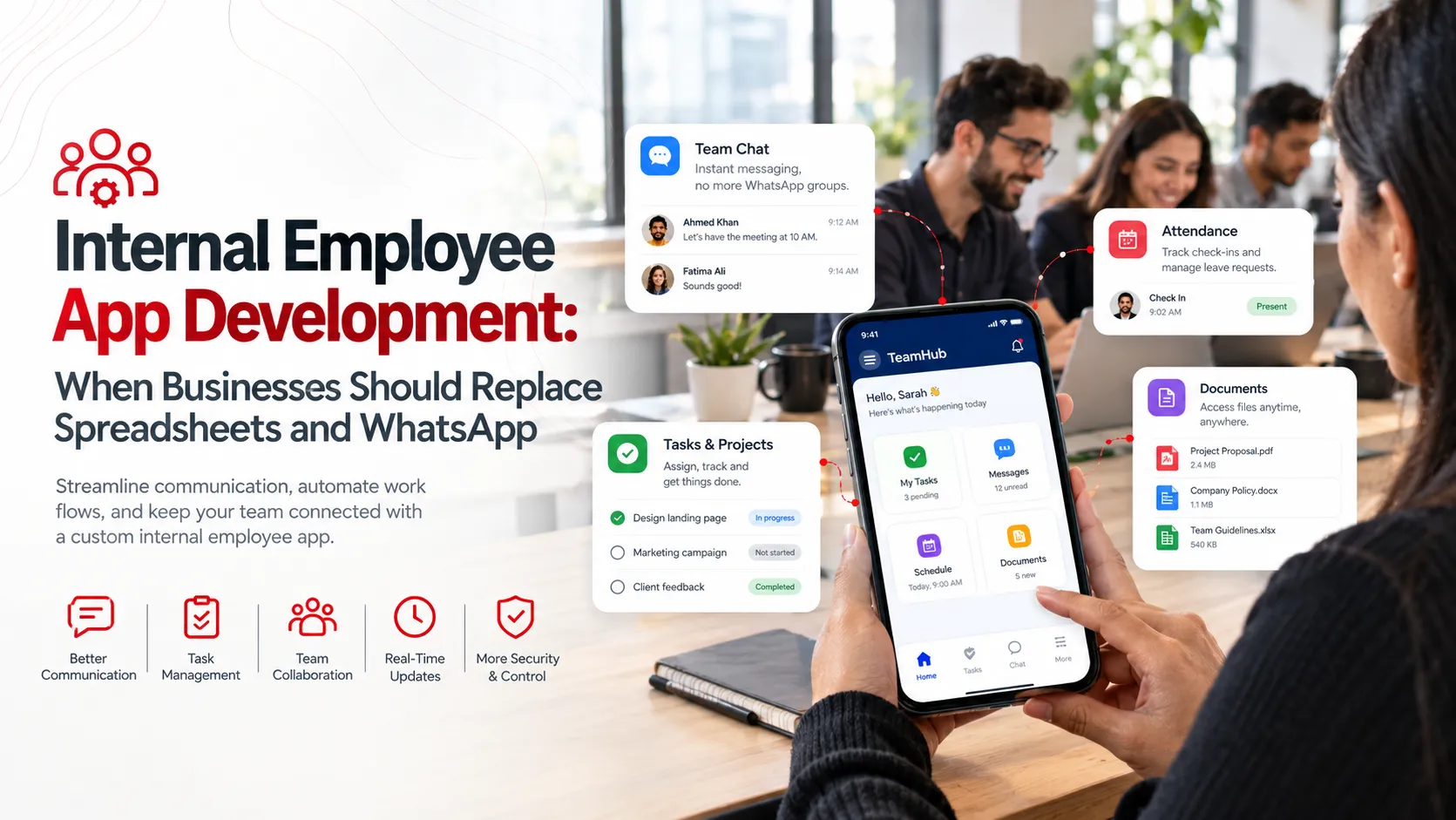
Spreadsheets and WhatsApp have long been staples for managing internal business operations. They're familiar tools, but as businesses evolve, their limitations become glaring. These tools often struggle to keep up with complex workflows and integrative needs that growing companies require. Relying solely on them can lead to inefficiencies, errors, and a lack of cohesion in your team's communication and data management.
Switching to a custom internal app can transform your business operations. By centralizing data, automating repetitive tasks, and enhancing team collaboration, a tailor-made app can offer more scalability and reliability. Whether you're just beginning to face the friction of current systems or you're deep into operational challenges, it's crucial to understand when to move towards a custom solution and how it could benefit your business.

Why Relying Solely on Spreadsheets and WhatsApp Falls Short
Spreadsheets can quickly become cumbersome as datasets grow. They often require manual updates, increasing the risk of data entry errors. Their lack of real-time collaboration features can slow down decision-making processes. Similarly, WhatsApp, while useful for quick communication, lacks the structure needed for organized, secure business communication. Data shared through WhatsApp can be easily lost or misinterpreted, creating risks for sensitive information.
Relying on these tools means missing out on automation and integration capabilities offered by custom apps. As the volume of data and interactions expands, the limitations of spreadsheets and WhatsApp can lead to bottlenecks. This not only slows productivity but can also impact the overall workflow efficiency.

When It's Time to Transition to an Internal App
Recognizing when to shift from spreadsheets and WhatsApp to an internal app is crucial. Indicators include increasing data management errors, fragmented communication flows, and growing integration needs. If you consistently face hurdles in tracking, updating, and sharing information, it's a sign that more robust solutions are needed.
Further, if team members frequently complain about inefficiencies or if you notice frequent information miscommunication, the time for an upgrade has arrived. The right internal app can simplify complex operations by providing real-time data access and seamless communication.
- Constant errors: in data management.
- Fragmented communication: across teams.
- Integration challenges: with existing tools.
- Feedback from employees: pointing to inefficiencies.
Core Features of Successful Internal Apps
A successful internal app is designed for your business's unique needs. One key feature is user management, which allows for role-based access to secure sensitive data. It should support integrations with existing tools to ensure a smooth workflow transition. Real-time collaboration, through features like shared dashboards or messaging, can drive more efficient teamwork, crucial for dynamic business environments.
Additionally, analytics and reporting are vital components. By providing insights into app usage and business metrics, these tools can guide better decision-making. Automation capabilities, which reduce repetitive tasks, enhance overall productivity and allow employees to focus on higher-value activities.
- User management: for role-based access.
- Tool integrations: for seamless transitions.
- Real-time collaboration: to enhance teamwork.
- Analytics and reporting: for data-driven decisions.
- Automation: to reduce repetitive tasks.
App Development Options: Build or Buy?
The decision to build a custom app or buy an off-the-shelf solution depends on your needs and resources. Building a bespoke app allows for tailored features that fit your precise requirements. However, it requires significant time, budget, and technical expertise. You have the control, but also, the responsibility of continuous maintenance.
On the other hand, buying an existing solution can be quicker and may cost less upfront. These solutions often come with support and updates, reducing the internal resource strain. However, the lack of customization means you could be compromising on specific features and integrations you need.
Consider factors like budget, timeline, and feature requirements carefully. A hybrid approach, customizing an existing platform, can sometimes offer the best of both worlds. Evaluating these options is crucial for aligning your business's operational needs with its technological capabilities.
Choosing the Right Technology Stack

The choice of technology stack impacts app performance and scalability. For cross-platform app development, React Native or Flutter offer efficient solutions with a single codebase that runs on multiple devices. This approach reduces development time and cost, making it popular among companies looking to deploy apps quickly.
For server hosting and database management, AWS and Firebase are frequently chosen for their reliability and scalability. The use of modern frameworks and hosting solutions allows your app to grow with your business needs, ensuring long-term success and minimal technical debt.
Cost Considerations for Internal App Development
Understanding cost factors is essential for budgeting an internal app development project. Variables such as app complexity, features, and team location affect the overall cost. For example, developing a five-screen MVP can range from $15,000 to $40,000 in the US market. External costs, like server and API integrations, add to this budget.
Hiring an internal team could increase costs upfront but offers greater control over the project's direction. Alternatively, outsourcing may reduce immediate expenses, offering flexibility with on-demand expertise. Consider both long-term and short-term financial impacts when planning your project.
| Cost Factor | Description | Typical Range |
|---|---|---|
| App Complexity | Simple to large-scale | $20k - $200k |
| Development Team | Local vs. outsourced | $50/hr - $150/hr |
| Hosting | Cloud services | $100/mo - $1,000/mo |
| Maintenance | Ongoing updates | $500/mo - $5,000/mo |
| Licensing | Third-party tools | $500 - $10,000 |
Time to Market: Rapid Development Techniques
Accelerating time to market is crucial in a competitive landscape. Agile methodologies, such as Scrum and Kanban, enable continuous delivery and iterative improvements. They allow the development team to respond to changes promptly and improve product quality over time. Utilizing frameworks like Flutter or React Native can further speed up the process by using a single codebase for multiple platforms.
Another strategy involves prototyping and user feedback loops. By validating ideas early and often, you can prioritize features that directly benefit the user experience. This approach reduces the risk of spending resources on unnecessary functionalities, ensuring the app meets user needs effectively.
Ensuring Security in Internal Apps
Security cannot be an afterthought. It's crucial from the first design session. Internal apps often handle sensitive company data. Implementing robust security measures includes encryption, regular audits, and securing APIs. Using industry standards like OWASP can further mitigate risks. This proactive approach helps prevent costly data breaches.
Employee credentials should be managed with multi-factor authentication. Regular updates and patching vulnerabilities in libraries or frameworks are vital. Monitoring and logging access can spot unusual behavior early. This comprehensive security strategy ensures that your internal app stays resilient against potential threats.
User Experience Design Principles
Good design drives adoption. Intuitive interfaces, clear navigation, and consistent design elements create a frictionless experience for users. Prioritizing UX affects how willingly employees engage with the app. It also impacts how efficiently they can complete tasks, ultimately driving productivity gains across the organization.
Prototyping tools like Figma allow for rapid testing and iteration. Feedback loops with actual users can highlight usability issues before launch. Consider user personas when designing features, ensuring that each function aligns with their daily tasks.
Simplicity: Keep interfaces clean and straightforward.
Consistency: Use uniform colors, fonts, and layouts.
Accessibility: Ensure app functionality for all users, including those with disabilities.
Integration with Existing Systems
An internal app's effectiveness often hinges on seamless integration with existing company systems like CRMs, ERPs, or messaging platforms. Without it, data silos can emerge, hindering productivity rather than helping it. APIs play a crucial role in enabling these integrations, allowing for smooth data flow and real-time updates.
When planning integration, consider potential bottlenecks and compatibility issues. Test integrations thoroughly in a staging environment to prevent disruptions. By ensuring your app complements existing workflows, you enhance its utility and relevance, reinforcing its value within your organization.
Evaluating Vendor Proposals
Selecting the right vendor is crucial. Look beyond cost to evaluate expertise, communication, and proposed timelines. A vendor's portfolio offers insights into their ability to deliver projects similar to yours. Check for flexibility in adapting to evolving requirements, especially in agile development environments.
Request a detailed project plan. It should outline milestones, deliverables, and deadlines. Consider requesting client references to gauge firsthand experiences with the vendor's team and processes. A thorough assessment allows you to engage with confidence, minimizing unnecessary risks.
Experience: Check their track record with similar projects.
Transparency: Ensure clear communication of processes and updates.
Support: Evaluate ongoing support and maintenance offerings.
Measuring ROI on Internal Apps
Assessing the ROI of an internal app is more than just cost savings. Look for improvements in productivity, employee satisfaction, and reduced errors. Time saved on manual data entry, for instance, translates to value over time. Gather initial metrics before deployment for benchmarking future performance.
Use analytical tools to track app usage and performance metrics such as load times and error rates. This data provides insight into operational efficiency and potential areas for further optimization. Analyzing these metrics can highlight tangible ROI from operational enhancements.
| Metric | Before App | After App |
|---|---|---|
| Data Entry Time | 4 hours/day | 1 hour/day |
| Error Rate | 15% | 3% |
| Employee Satisfaction | Moderate | High |
Brandrums' Approach to Internal App Development
At Brandrums, we blend industry best practices with tailored strategies to deliver impactful internal apps. Our approach involves cross-functional teams collaborating closely with clients, ensuring each project aligns with unique business goals. From Enterprise App Development to MVP Development, our services cover diverse needs.
Our development process is iterative. Regular client feedback cycles allow refining the product for optimal functionality. We emphasize security from day one, ensuring every app we build is robust against threats. This includes both end-to-end encryption and regular vulnerability assessments.
Post-launch, we offer comprehensive support and maintenance. This includes performance monitoring, feature updates, and user training. Our goal is to ensure not just a successful launch but sustained app performance that meets evolving business needs. At Brandrums, success is building a solution that grows with you.
Making the Transition: What to Do Next
Transitioning to an internal app starts with a needs assessment. Identify areas where current tools fall short. Determine what features an app should offer to address these gaps. Engage stakeholders across departments. Their input can guide a prioritization of features and ensure that the app serves multiple needs.
Next, select a trusted development partner like Brandrums. Plan a phased rollout. This allows you to identify any issues early and adapt as needed. Offer training sessions to ease the transition. Finally, measure the app's impact regularly to refine its functions and demonstrate its ongoing value.
Frequently Asked Questions
How do I know if my business needs an internal app?
If your business relies heavily on spreadsheets and WhatsApp for operations, it's time to consider an internal app. These tools lack automation and real-time collaboration features. Evaluate your operational pain points. If tasks are repetitive or communication is fragmented, an app can enhance productivity and streamline processes.
What is the cost range for developing an internal app?
The cost of developing an internal app can range from $50,000 to $150,000, depending on complexity, features, and technology used. Factors like design, development time, and integration impact the cost. Opting for a simpler MVP can lower initial expenses while still delivering essential functionality.
Should we hire in-house developers or outsource to an agency?
Outsourcing to an agency like Brandrums often makes sense for specialized app development. Agencies offer expertise, diverse skill sets, and faster time to market. In-house teams are ideal if long-term maintenance and custom features are priorities. Consider project scope and existing skills before deciding.
Which technology stack is best for internal app development?
The best technology stack depends on your app's specific needs. React Native and AWS are popular for their scalability and support. Choose technologies like Figma for design, and ensure compatibility with existing systems. Your decision should align with budget, desired features, and integration needs.
How long does it typically take to develop an internal app?
Development timelines for an internal app usually range from 3 to 6 months. This depends on complexity, team size, and project scope. Rapid development tools can accelerate timelines, but thorough user testing and iterations are crucial for success. Plan for potential adjustments during the process.
What challenges might arise during internal app development?
Common challenges include scope creep, integration issues, and user adoption. Address scope with clear requirements, and ensure compatibility with existing systems. Engage users early in testing to boost adoption. Maintaining focus and proactive communication can ease these challenges for a successful launch.
Tags
About the Author

Daniel Brooks
Daniel covers web development, artificial intelligence, product design, and the technology decisions that help modern businesses grow.