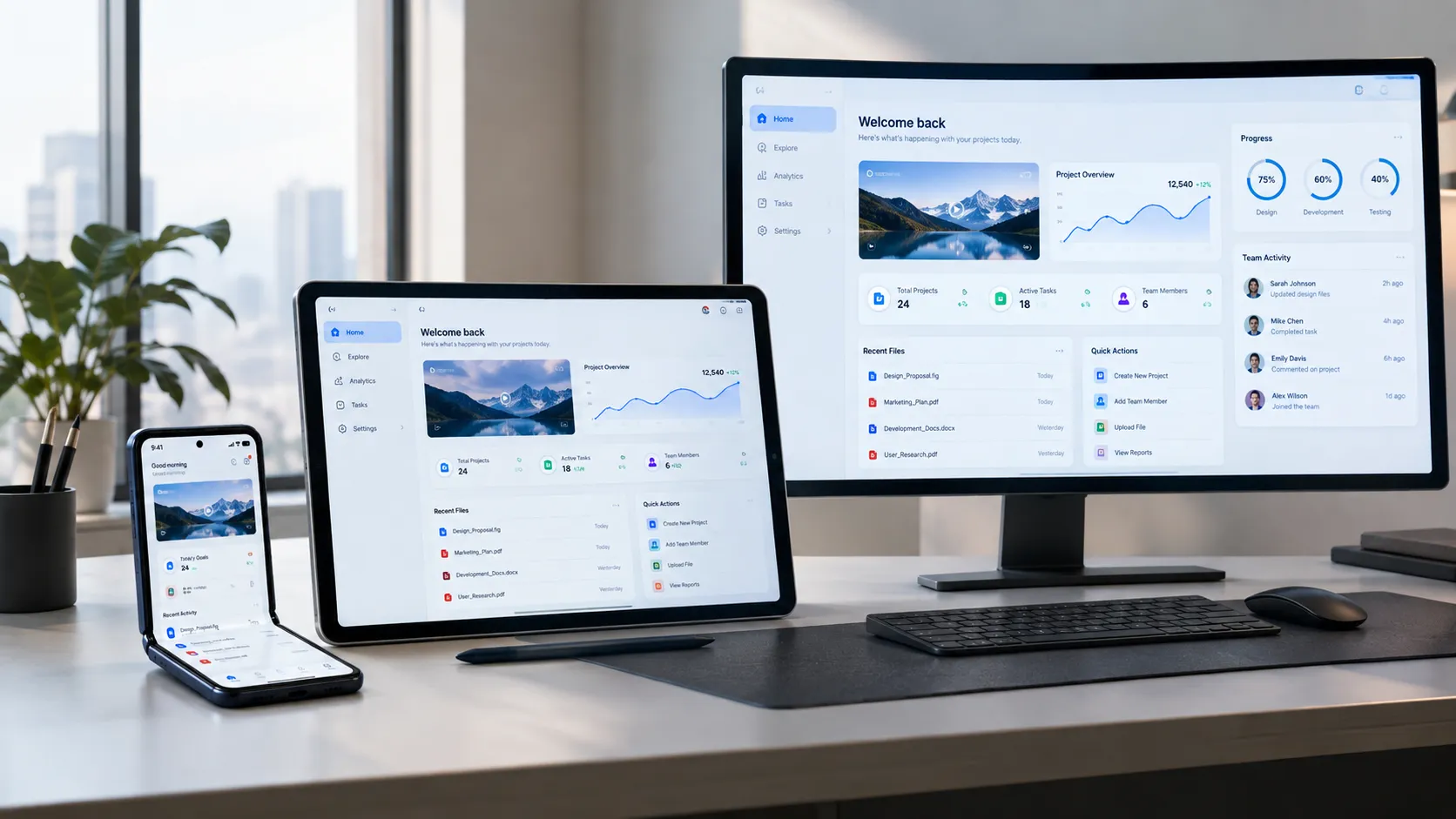

Android 17 is changing the landscape with its emphasis on adaptive-first apps. This shift is crucial for businesses aiming to enhance user experience and remain competitive. Overlooking this trend could leave companies behind as user expectations continue to rise.
Adaptive-first apps adjust seamlessly to different devices and contexts. They offer improved user interaction and engagement by adapting to screen sizes, user preferences, and contextual needs. Embracing these changes is essential for businesses developing apps on Android 17.

The Shift to Adaptive-First Apps

Android 17 compels developers to rethink their app strategies with its focus on adaptive-first design. Applications must now adjust to various devices, offering a seamless experience from large tablets to smartwatches. This adaptability is not just a technical requirement but a crucial element for user engagement and satisfaction.
With users accessing apps on diverse devices, businesses need to ensure consistent performance and functionality. Adaptive-first apps use responsive design elements to cater to different screen sizes, orientations, and user contexts. Ignoring this trend might reduce user retention and competitive edge.
Understanding Android 17
Android 17 introduces features that significantly impact app design and functionality. One of the major changes is the enhanced support for foldable devices, expanding what apps can do in terms of multi-window and drag-and-drop features between screens.
Another critical enhancement is improved adaptive icons and widgets, allowing apps to adjust their interface to match the user's display settings. These changes necessitate a deeper understanding of adaptive UI elements to create responsive and versatile applications.
- Foldable Support: Better handling for multiple displays.
- Adaptive Icons: Icons that adjust to user settings.
- Improved Widgets: Widgets that adapt to different screens.
Why Adaptation Matters
Businesses focusing on adaptive-first design stand to gain significant advantages. They can offer users more personalized and efficient app experiences, which enhances engagement and loyalty. Adaptive apps are better equipped to handle the diverse Android ecosystem, adapting fluidly to various screen sizes and device capabilities.
In a competitive market, the ability to provide a consistent and smooth experience can differentiate a thriving business from a struggling one. Adaptation not only boosts user satisfaction but also ensures that apps remain relevant in a rapidly evolving technological landscape.
Adaptive apps offer personalized experiences, increasing user loyalty.
— Brandrums Editorial
Key Design Considerations
Developing adaptive-first apps requires a clear focus on specific design elements. First, responsive layouts must be prioritized to ensure each screen presents information clearly and accessibly. Developers should also emphasize fluid navigation that easily adjusts to different input types, such as touch and stylus.
Additionally, optimizing performance across devices is essential. Minimizing load times and ensuring smooth transitions enhance the user experience. Attention to these details ensures that apps not only meet but exceed user expectations.
- Responsive Layouts: Design for all screen sizes and orientations.
- Fluid Navigation: Seamless navigation for various input devices.
- Performance Optimization: Reduced load times and smooth transitions.
Implementing Adaptive Features

Implementing adaptive features in mobile apps involves key steps. First, developers need to utilize Android’s APIs to design responsive elements that automatically adjust to varying device specifications. It's crucial to perform extensive testing on different devices to ensure consistent performance and user experience.
Using tools like Figma for UI prototyping and React Native for cross-platform builds can streamline the development process. These tools support adaptive designs, making it easier to visualize how the app will appear across different device families. By adhering to these strategies, businesses can offer versatile applications that cater to a wider audience.
Cost Implications
Transitioning to adaptive-first app development involves specific cost considerations. Developing such apps may increase upfront expenses due to more extensive design and testing phases. However, investing in adaptive technologies can offer long-term cost benefits by reducing the need for future redesigns and updates.
Typical US agency rates for developing a five-screen adaptive app range from $20k to $50k. This cost varies widely based on the app’s complexity and the agency's expertise.
| Development Phase | Cost Range | Key Considerations |
|---|---|---|
| Design | $5k$15k | Adaptive layouts and UI prototyping |
| Development | $10k$25k | Coding and integration of adaptive features |
| Testing | $5k$10k | Cross-device compatibility checks |
Market Trends and Predictions
The market for adaptive-first apps is expected to grow significantly as businesses recognize their potential. There's increasing emphasis on personalization and user-centric design, driven by advancements in AI and machine learning. These technologies enable apps to predict user needs and adapt interfaces accordingly.
Predictions indicate a surge in demand for cross-platform solutions, encouraging developers to produce more versatile applications. Companies that invest in these technologies are better positioned to capture a broader audience and enhance their market presence.
- Increased focus on personalization.
- Rising demand for cross-platform apps.
- Integration of AI and machine learning.
Comparing Platforms
When considering adaptive-first app development, it's essential to compare how different platforms accommodate these features. Android 17 is making adaptive design a priority, allowing apps to offer more personalized, context-aware experiences. By contrast, iOS and other operating systems have their own approaches to adaptive design, often focusing on their unique ecosystem specifics.
Platforms like Flutter and React Native offer cross-platform solutions that can help streamline development for both Android and iOS. They support adaptive design principles by providing dynamic layouts and flexible UI components. This means you can create seamless experiences across devices, yet some platform-specific features may still require separate development efforts.
| Platform | Adaptive Design Support | Cross-Platform Capabilities |
|---|---|---|
| Android 17 | High | Limited |
| iOS | Medium | Limited |
| Flutter | High | High |
| React Native | Medium | High |
Case Studies of Successful Adaptations
Examining case studies of businesses that have successfully adapted to Android 17 provides valuable insights. For instance, a leading e-commerce app improved its user engagement by 30% by implementing adaptive interfaces that adjusted product recommendations based on user behavior and environmental factors.
Another example involves a fitness app that saw a 25% increase in user retention by offering personalized workout plans. This was achieved using Android 17's enhanced adaptive design tools, which allowed real-time adjustments to user interfaces based on fitness goals and usage patterns.
- E-commerce Success: 30% increase in engagement with adaptive interfaces
- Fitness Retention: 25% rise in user retention through personalized plans
Challenges in Transitioning
Transitioning to adaptive-first apps isn't without challenges. One of the main hurdles is ensuring compatibility across multiple devices and screen sizes. This requires a robust testing strategy, often involving a complex matrix of devices and operating systems to ensure a consistent experience.
Another significant challenge involves the learning curve associated with new development tools and methodologies. Teams need to be familiar with updated SDKs, libraries, and design principles, which can require extensive training and process adjustments.
- Compatibility Issues: Multiple devices and screen sizes
- Learning Curve: New tools and methodologies
- Resource Management: Increased demand on development resources
Choosing the Right Development Tools
Selecting the right development tools is crucial for efficient adaptive app development. Android Studio remains a primary choice for many developers due to its integration with Android 17, providing tools like Layout Editor for crafting dynamic UIs. For cross-platform needs, tools like Flutter offer robust solutions with a single codebase for both Android and iOS.
React Native is another popular choice, although it may require additional components or plugins to achieve the same level of adaptiveness. Choosing tools that align with your team's expertise and project goals can significantly streamline the development process and reduce time-to-market.
- Android Studio: Ideal for Android-specific features
- Flutter: Cross-platform capabilities with a single codebase
- React Native: Widely used but may need plugins
What to Do Next
Transitioning to adaptive-first apps requires a strategic approach. Start by evaluating your current app portfolio and identifying areas where adaptability would enhance user experience. Engage with stakeholders to align on goals and resource allocation.
Consider initiating a pilot project to test adaptive features, employing user feedback to guide iterations. Collaborate with skilled teams who have experience in adaptive design to ensure a solid implementation. Investing in training and tools is essential for a smooth transition.
How Brandrums Approaches Adaptive Design
At Brandrums, we prioritize understanding our clients' unique needs and objectives. Our approach begins with a thorough discovery phase, ensuring we're aligned on goals and expectations. We use a mix of tools, including Figma for design and Flutter for cross-platform mobile application development, to create adaptive solutions.
Our development process emphasizes iterative feedback and collaboration. We focus on optimizing performance and user experience, ensuring that adaptive-first principles are seamlessly integrated into the final product. Constant communication and agile methodologies guide our projects to success.
- Discovery: Workshops and goal alignment
- Tool Selection: Figma and Flutter for adaptive design
- Iterative Development: Continuous feedback and agile methods
FAQs on Adaptive-First Apps
Adaptive-first apps are still emerging for many businesses, leading to common questions about implementation and benefits. Addressing these concerns early can facilitate smoother transitions and better decision-making.
Here are some frequently asked questions that we've encountered. These provide insights into both technical and strategic aspects of adaptive-first app development.
Frequently Asked Questions
What is an adaptive-first app?
An adaptive-first app automatically adjusts to different screen sizes and user contexts. Android 17 emphasizes this approach by providing tools and guidelines to enhance adaptability. By focusing on adaptability, apps can deliver a consistent user experience across devices, which is crucial for user retention.
How do adaptive-first apps benefit businesses?
Adaptive-first apps improve user engagement and satisfaction by providing a seamless experience across devices. This can lead to higher user retention and better reviews. Investing in adaptability allows businesses to reach a broader audience and maintain a competitive edge in the market.
Do I need to update my existing app for Android 17?
Yes, updating your app for Android 17 is essential to leverage its new features and ensure compatibility. This enhances user experience and keeps you competitive. Failing to update may lead to a loss in user base if your app doesn't function well on newer devices.
How much does it cost to implement adaptive features?
The cost varies, but typically ranges from $10,000 to $50,000 depending on complexity and scale. Investing in adaptive features helps future-proof your app, ensuring it remains relevant as new devices and screen sizes emerge. It's crucial to budget for long-term benefits.
What tools are best for developing adaptive-first apps?
For Android 17, consider using tools like Android Studio, Kotlin, and Jetpack Compose. These tools facilitate efficient development and testing of adaptive features. Leveraging native tools ensures better integration with Android's ecosystem, improving app performance and user experience.
Can small businesses benefit from adaptive-first apps?
Yes, small businesses can greatly benefit. Adaptive-first apps provide a professional user experience, enhancing brand credibility. They enable access to a wider audience by functioning well on various devices, leveling the playing field for small businesses to compete with larger ones.
Tags
About the Author

Daniel Brooks
Daniel covers web development, artificial intelligence, product design, and the technology decisions that help modern businesses grow.