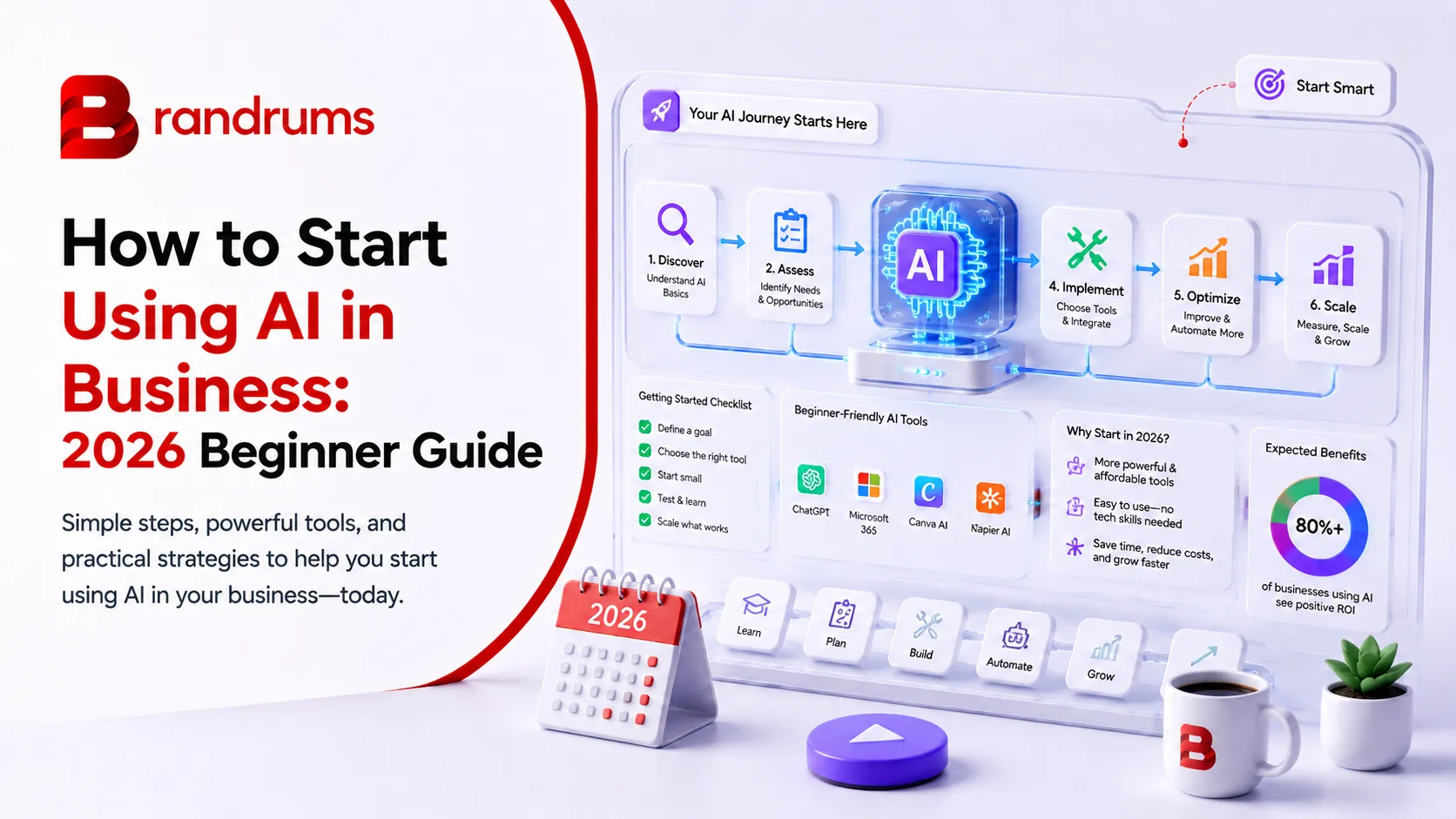
Why Now Is the Easiest Time to Start
If you have been putting off "doing something with AI" because every article makes it sound like you need a data science team and a six-figure budget, here is some relief. You do not. In 2026, getting started is cheaper and simpler than it has ever been, and you can have something genuinely useful running before the end of this week. A quick bit of context that should lower your blood pressure. AI adoption has already crossed into the mainstream. As of 2026, 88 percent of organizations report using AI in at least one business function, up from 78 percent a year earlier. Generative AI reached 53 percent population adoption within three years, faster than either the personal computer or the internet did.
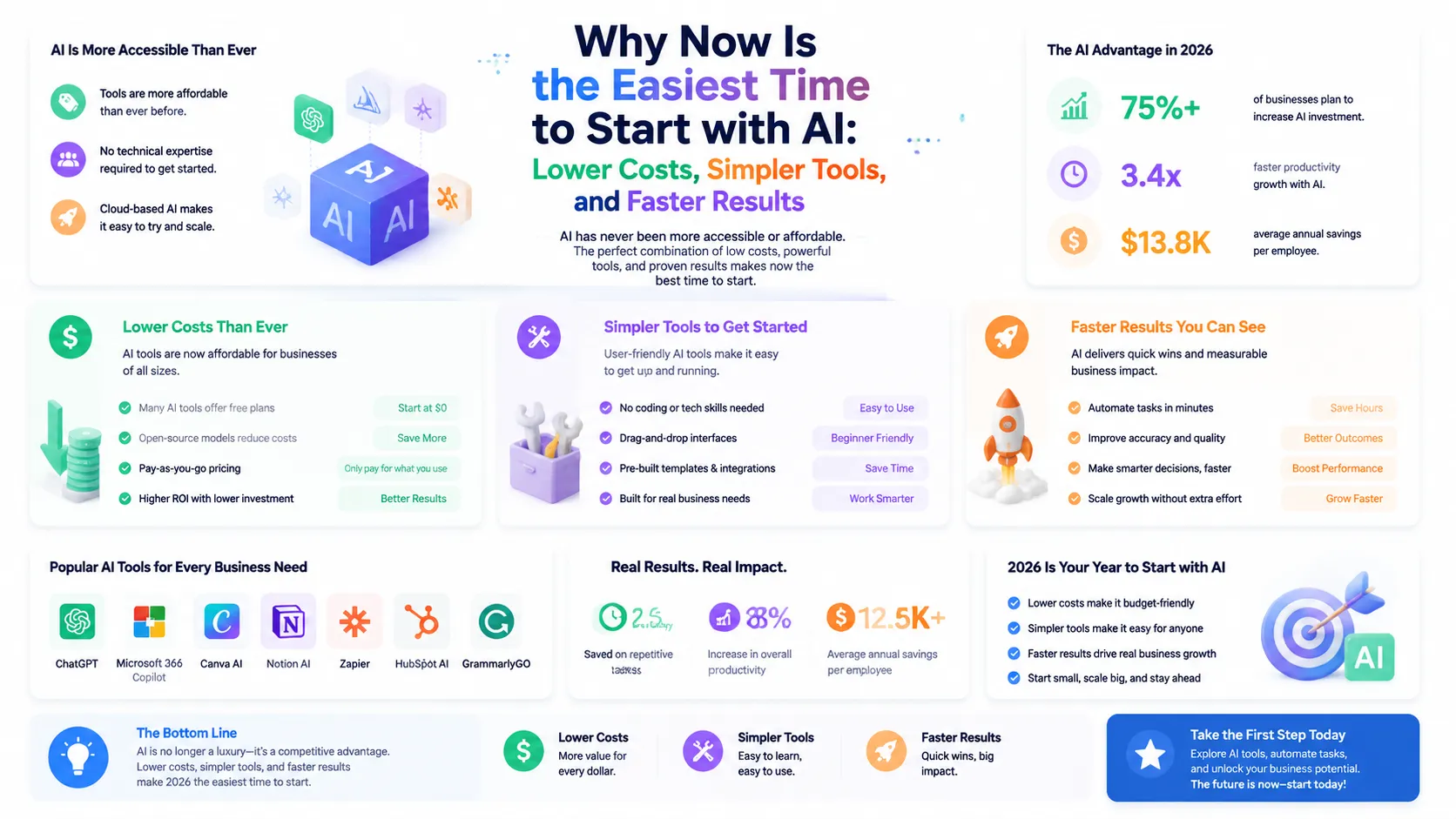
88 percent of organizations now use AI in at least one function. You are arriving right on time. What that means for you as a beginner: the tools have been battle-tested by millions of people, the rough edges are sanded down, and the price has collapsed. You are not an early adopter taking a risk. You are arriving at the moment when this stuff finally just works. The payoff is not abstract. Small business employees save an average of 5.6 hours a week using AI tools, and managers reclaim over 7 hours. A majority of users report saving $500 to $2,000 a month once they have a tool or two running on the right tasks.
Those numbers are not reserved for tech companies with engineering teams. They show up for the bakery owner who stopped writing every social caption by hand and the accountant who stopped summarizing client documents line by line.
Step 1: Pick One Annoying Task, Not a Strategy
The single biggest mistake beginners make is trying to "adopt AI" as a sweeping, company-wide initiative. That is how you end up with three subscriptions, a vague sense of guilt, and nothing to show for it. Instead, pick one task. A single thing that eats your time and follows a pattern. For example:
Writing the same kind of email over and over.
Summarizing long documents or reports.
Drafting social media posts.
Answering the same five customer questions all day.
Cleaning up messy meeting notes into something readable.
Pick the one that makes you sigh when it lands on your desk. That task is your entry point. Everything about AI gets easier when you are solving one real, concrete problem instead of chasing a buzzword. You will learn the tool faster because you have an actual goal, and you will know immediately whether it is working. The reason this matters so much is that "adopt AI" is not a task your brain can act on, while "turn these messy call notes into a client recap" is. The first is a vague aspiration that produces browsing and second-guessing. The second is a concrete job you can hand to a tool this afternoon and judge by lunchtime. Beginners who start narrow build momentum, because each small win makes the next task obvious. Beginners who start broad stall, because there is no single thing to point the tool at. Narrow is not a limitation here. It is the fastest path to actually getting somewhere. Mini case study: a small marketing consultancy started with the free tier of an AI assistant and one task, turning rough call notes into polished client recaps. That cut their post-meeting admin from about 40 minutes to 10. Over a month of calls, that was roughly 8 hours back. One task, one free tool, one measurable result. That is the shape of a successful start.
Step 2: Start With a Free or Cheap Tool
You do not need anything fancy on day one. A general AI assistant like ChatGPT or Claude, on the free tier or the $20 plan, handles a shocking amount of small business work: writing, editing, brainstorming, research, simple data questions, and more. Open it. Paste in your annoying task. Ask it to help. That is the entire setup. There is no installation marathon, no integration project, no IT ticket. The whole skill at this stage is just describing what you want clearly, which we will cover next. If you are budget-conscious, stay on the free tier until you bump into its limits. The free versions cap how much you can use them and slow down at busy times, but for testing one task they are more than enough. Upgrade to the $20 plan only when the limits start interrupting real work.
Step 3: Learn to Write a Decent Prompt
A "prompt" is just the instruction you give the AI. This is the one skill that separates people who think AI is magic from people who think it is useless, and it takes about a day to learn. Beginners type one vague line, get a generic answer, and conclude AI is overrated. The fix is simple: tell the AI three things.
Who it is for. "Write this for past customers who haven't bought in six months."
What you want. "A friendly email offering 15 percent off, around 120 words."
What good looks like. "Casual tone, one clear call to action, no corporate jargon."
Twenty extra seconds of specifics is the entire skill.
A worked before-and-after
Here is the difference in practice. A bad prompt: "write a product description for my candle." You get something generic that could describe any candle on earth. A good prompt: "Write a 60-word product description for a hand-poured lavender soy candle aimed at people who want to relax after work. Warm, calming tone. Mention the 40-hour burn time. End with a soft call to action." Now you get copy you can almost paste straight onto the product page. The good prompt took maybe 20 extra seconds to write. That 20 seconds is the entire skill. And when the first answer is not quite right, do not start over. Just tell it what to change. "Make it shorter." "More formal." "Add a line about free shipping." That back-and-forth is how the real work gets done.
Step 4: Put a Chatbot on the Boring Questions
Once you are comfortable with an assistant, the next easy win for most businesses is customer support. Look at the questions you get all day. A huge share of them are the same handful repeated endlessly: your hours, your pricing, shipping, returns, how to book. An AI chatbot can handle those around the clock so you and your team stop answering them by hand. In retail, chatbots already handle the majority of routine customer inquiries, and that frees up humans for the conversations that actually need a person, the ones where empathy or judgment matter. This is one of the highest-return first moves a small business can make, because it saves time every single day and improves response speed for your customers at the same time.
Want Help Setting Up Your First AI Workflow?
Brandrums builds support and automation setups that fit how your business actually runs, so the first thing you try is also the thing that works.
See Our AI SolutionsTalk to Us
Step 5: Measure Whether It Is Actually Working
This is the step beginners skip, and it is the most important one in the whole guide. Before you call any tool a success, answer one question: what did it save me? Track it loosely, but track it. How many hours did this give back this week? Did it bring in a lead, close a sale, or cut an error? If you can point to something real within 60 days, keep going and consider expanding. If you cannot, drop it and try a different task. The goal was never "use AI." The goal was to get time and money back. Keep that front and center and you will never waste money on a tool that looks impressive but does nothing for you.
Your Realistic First 30 Days
Here is what a sane on-ramp looks like, with no overwhelm and no wasted spend.
A low-pressure on-ramp: one task, one tool, measured before you scale.
Week | Focus | What you actually do |
|---|---|---|
Week 1 | Pick and test | Choose your one annoying task. Open a free AI assistant. Use it daily on that task. |
Week 2 | Get fluent | Practice prompting. Add one specialized tool if you have an obvious need, like writing help or meeting notes. |
Week 3 | Automate one thing | Set up a simple automation, like FAQ chatbot responses or auto-drafted social posts. |
Week 4 | Review and decide | Look at what you saved. Keep what worked, cut what did not, and choose your next task. |
Five Beginner Mistakes to Skip
You can save yourself months by avoiding the errors almost every beginner makes.
Avoid these from day one
Trying to automate everything at once. Pick one task, master it, then expand.
Vague prompts. "Help me with marketing" gets you nothing useful. Specifics get you gold.
Trusting output blindly. AI sometimes states wrong things confidently. Check facts and anything customer-facing.
Paying too early. Free tiers are capable. Do not subscribe to six tools before you know which one you need.
Skipping measurement. If you never check what a tool saved you, you will keep paying for ones that do nothing.
None of these are hard to avoid. They are just the default path if you wander in without a plan. You now have the plan, so you can step around all five.
The Mindset That Makes This Work
One last thing, because it matters more than any tool. Treat AI like a capable new assistant, not a magic button. A new assistant needs clear instructions, a bit of correction, and a defined job. Give it those, and it produces. Expect it to read your mind, and it disappoints. Beginners who get this framing right move much faster, because they stop waiting for perfection and start iterating.
Plenty of owners get the basics going themselves. If you would rather have someone set up a stack that fits your business from day one, that is what we do.
Frequently Asked Questions
How do I start using AI in my business as a beginner?
Start with one specific, repetitive task instead of trying to adopt AI company-wide. Pick something like drafting emails, summarizing documents, or answering common customer questions. Use a free or $20 AI assistant like ChatGPT or Claude on that single task, get good at writing clear prompts, then measure what it saved you before expanding.
What is the best AI tool for a business beginner?
A general AI assistant like ChatGPT or Claude is the best starting point. The free tiers are capable, and the $20 paid plans remove usage limits. One assistant handles writing, editing, research, and brainstorming, which covers most early small business needs before you add specialized tools.
Do I need technical skills to use AI in business?
No. Modern AI tools work through plain conversation. The main skill is writing a clear instruction, called a prompt, the same way you would brief a new assistant. Tell the AI who it is writing for, what you want, and what a good result looks like. You will be fluent within a few days of regular use.
How long does it take to see results from AI?
Most businesses see time savings in the first week. Small business employees save an average of 5.6 hours a week using AI tools. The key is to measure a specific outcome within 60 days, such as hours saved or leads handled, so you can tell whether a tool is worth keeping.
How much does it cost to start using AI?
You can start for free using the free tiers of major AI assistants. A paid starter stack of one assistant plus a couple of specialized tools runs about $40 to $60 a month. Most small businesses spend $50 to $500 a month once they grow into automation and customer support tools.
Ready to build the AI setup that fits your business?
Whether you are a solo founder testing the waters or a growing team scaling into serious automation, we help clients pick the lightest AI stack that earns its keep. Same discipline we apply through website development, web application development, SaaS development, and digital marketing retainers. Tell us what you are trying to automate and we will recommend a setup. Or check our pricing options if you are scoping engineering support alongside the tooling.
Tags
About the Author

Daniel Brooks
Daniel covers web development, artificial intelligence, product design, and the technology decisions that help modern businesses grow.