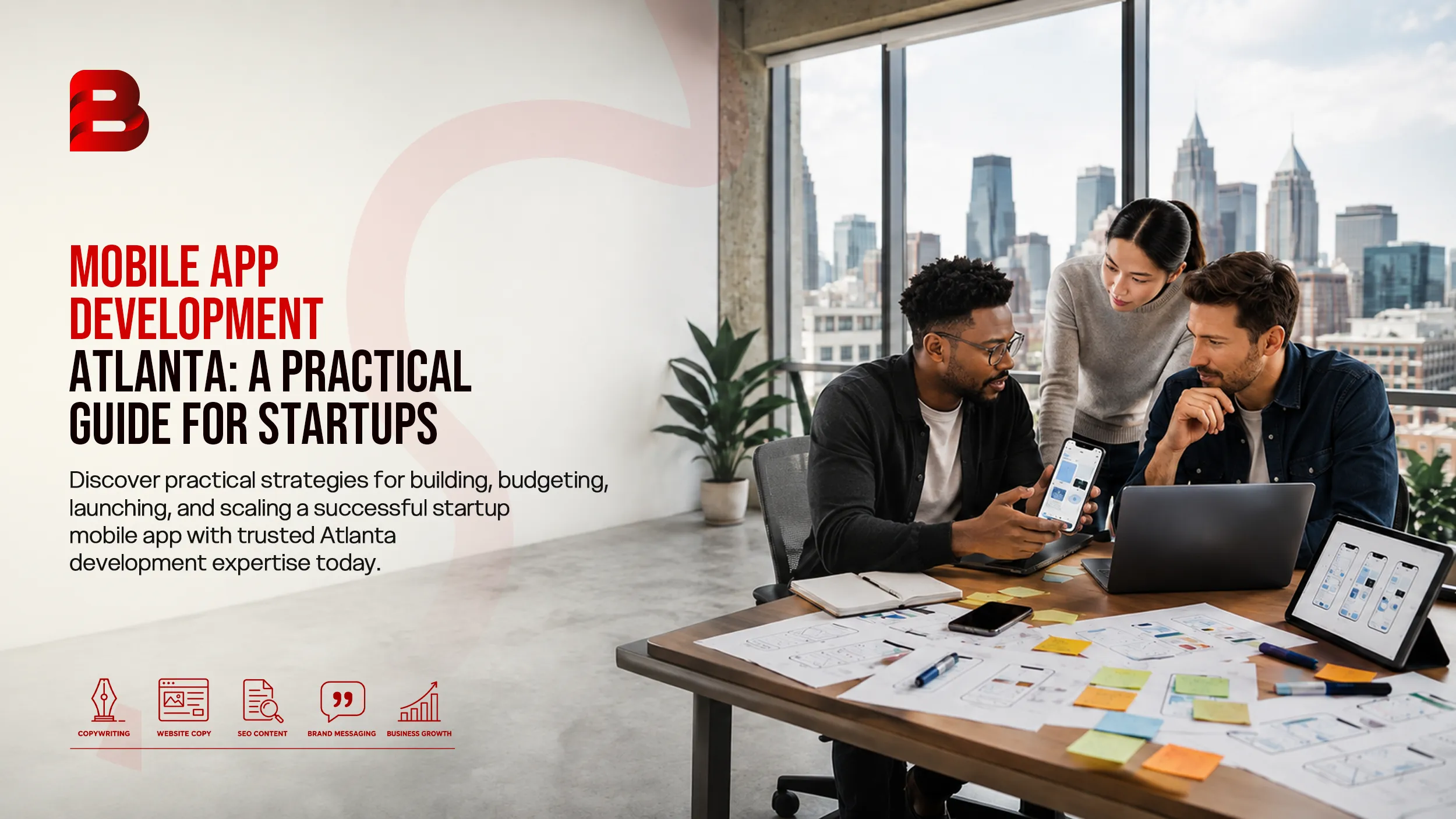
You have a startup idea. Maybe it solves a problem you have personally experienced. Maybe customers have already asked for it. Or perhaps you have a business model that works on paper, but you need a mobile app to turn it into a real product.
Then comes the difficult part.
Should you build an iPhone app first? Do you need Android too? How much should you spend on an MVP? Should you hire individual developers or work with an app development company? And how do you avoid spending your entire startup budget before you know whether customers actually want the product?
These are important questions for any founder searching for mobile app development Atlanta services.
Atlanta is a particularly interesting market for startups. The region has a large technology and entrepreneurship ecosystem, with universities, accelerators, startup organizations, corporate innovation centers, and communities supporting diverse founders. The Metro Atlanta Chamber reports more than 100 entrepreneurial centers in the region, while Venture Atlanta continues to highlight the city's growing startup and investment activity.
For Black founders, Atlanta also has a substantial technology and entrepreneurship community. Organizations such as ATL BLK TCH and Startup Atlanta maintain resources and programs focused on strengthening opportunities for Black and other underrepresented founders.
The opportunity is real, but building the right app still requires discipline.
This guide explains how startups can approach mobile app development in Atlanta, what to build first, what development can cost, how to choose developers, and which mistakes can quietly damage an otherwise promising product.
Key Takeaways
Start with the customer problem instead of a long feature list.
An MVP should prove a business assumption, not simply represent a smaller version of a finished app.
Native and cross-platform development both have valid use cases. The right choice depends on product requirements.
Development cost depends heavily on features, integrations, design requirements, backend complexity, and testing.
Your development partner should understand product strategy, UX, backend architecture, security, testing, and app-store requirements.
Privacy and security need to be considered during development, not added immediately before launch.
Atlanta offers a strong startup and technology ecosystem, including resources specifically supporting diverse and Black founders.
Why Mobile Apps Matter for Atlanta Startups
A mobile app can become much more than another sales channel.
For some startups, it is the actual product. For others, it is the easiest way to make a service available when customers need it.
Consider a few examples.
A local marketplace might use an app to connect buyers and sellers. A fitness startup might need mobile tracking and notifications. A logistics company could use an app for delivery updates. A restaurant technology startup might build ordering and loyalty features into one mobile experience.
The technology depends on the business model.
Atlanta's startup ecosystem includes strong activity across technology, payments, logistics, healthcare, media, consumer products, and other sectors. That gives founders access to a broad environment for testing and developing technology products.
For Black-owned startups, the local ecosystem also offers specialized communities and founder resources. ATL BLK TCH describes itself as a community connecting Black people and supporters across Atlanta's K-12, college, corporate, and startup technology ecosystem.
The important point is that an app should support the startup's business model.
It should not exist simply because competitors have an app.
What Should a Startup Build First?
The most common mistake is trying to build everything at once.
A founder may begin with a list containing user accounts, messaging, payments, subscriptions, AI, maps, social sharing, analytics, loyalty programs, admin dashboards, and dozens of other features.
That sounds ambitious.
It is also an expensive way to learn whether customers actually want the product.
Instead, identify the core user action.
Ask:
What is the one thing users should be able to accomplish with this app?
For a marketplace, it might be finding and purchasing a product.
For a service business, it could be booking an appointment.
For a logistics product, it might be tracking a shipment.
For a financial product, it could be checking an account or completing a transaction.
Once that action is clear, the first version becomes much easier to define.
A simple MVP feature test
For every proposed feature, ask three questions:
Does the feature help users solve the primary problem?
Does the feature help us test an important business assumption?
Would removing it prevent the MVP from working?
If the answer is "no" to all three, the feature probably belongs in a later release.
MVP vs Full-Scale Mobile App
An MVP, or minimum viable product, is not a poorly designed application.
It is a deliberately limited product built to test whether the core idea works.
The distinction matters.
Area | Startup MVP | Full-Scale Product |
|---|---|---|
Main goal | Validate the idea | Serve a mature user base |
Features | Core functionality | Broad feature set |
Design | Focused and usable | More extensive design system |
Integrations | Essential only | Multiple systems and services |
Testing | Core workflows | Extensive device and scenario coverage |
Analytics | Key product metrics | Advanced analytics and reporting |
Infrastructure | Designed for early demand | Built for larger scale |
Budget | Lower initial commitment | Higher development investment |
Release strategy | Learn and improve | Continuous product development |
The MVP approach is particularly useful when the startup is still validating product-market fit.
You can release the essential experience, collect feedback, understand user behavior, and then decide which improvements deserve additional investment.
That is generally safer than spending months building features based entirely on assumptions.
Native vs Cross-Platform Development
One of the first technical decisions is whether to build separately for iOS and Android or use a cross-platform approach.
Native development
Native development uses technologies designed specifically for a particular platform.
For iOS, that can include Swift and Apple's development ecosystem.
For Android, Kotlin and Google's Android tooling are common choices.
Native development can be a strong option when the application needs deep platform integration, demanding performance, advanced hardware capabilities, or highly customized platform-specific behavior.
Cross-platform development
Cross-platform development allows teams to share more of the application code between platforms.
This can be attractive for startups because one product team can potentially support both iOS and Android without maintaining two completely separate codebases.
However, cross-platform does not mean "one solution works perfectly for everything."
Your development team still needs to consider performance, native integrations, testing, platform conventions, and long-term maintenance.
Which approach is better?
There is no universal winner.
Requirement | Native | Cross-Platform |
Maximum platform-specific control | Excellent | Good |
Shared codebase | Limited | Strong |
Highly specialized hardware features | Strong | Depends on integration |
Two-platform startup launch | More development effort | Often more efficient |
Platform-specific UX | Excellent | Good with careful implementation |
Long-term flexibility | Excellent | Strong when architecture is planned well |
The decision should be based on your product requirements rather than whichever framework is currently popular.
Apple's Human Interface Guidelines also emphasize consistency with platform conventions, clear hierarchy, accessibility, and familiar interaction patterns.
How Much Does Startup App Development Cost?
There is no reliable single price for a mobile app.
A simple informational or utility application can require a very different amount of work from a marketplace, fintech product, healthcare platform, or application with real-time communication.
For early planning, think in terms of scope rather than a single price.
Project Type | Typical Complexity | Main Cost Drivers |
Simple MVP | Low | Basic authentication, profiles, core workflows |
Service marketplace | Medium to high | User roles, payments, listings, search, notifications |
E-commerce app | Medium to high | Catalog, checkout, payments, orders, accounts |
Healthcare app | High | Privacy, security, permissions, integrations |
Fintech application | High | Security, identity, payments, compliance requirements |
Real-time platform | High | Messaging, live updates, infrastructure, notifications |
AI-enabled app | Variable | AI APIs, model usage, backend logic, testing, monitoring |
For example, a basic MVP with five carefully designed workflows may be significantly less expensive than an application containing dozens of screens, several external APIs, real-time communication, payment processing, and a custom administrative platform.
What increases development cost?
The biggest cost drivers usually include:
Number of platforms
Number of user roles
UI and UX complexity
Backend requirements
Third-party integrations
Payment functionality
Real-time communication
Maps and location services
AI functionality
Custom dashboards
Security requirements
Testing requirements
Post-launch maintenance
Do not choose a developer based only on the lowest initial quote.
A quote that leaves out backend development, testing, deployment, analytics, or maintenance can look inexpensive until those items appear later as additional work.
What the Development Process Looks Like
Good mobile app development is not simply "design, code, launch."
A startup-friendly process usually looks more like this.
1. Product discovery
The team clarifies the business model, target users, primary problem, competitors, and essential product workflows.
This stage should answer:
What are we actually building, and why?
2. Feature prioritization
The full feature list is divided into:
Must have
Should have
Could have
Later
This prevents the first release from becoming unnecessarily large.
3. UX and wireframing
Before writing substantial code, the team maps user journeys.
For example:
Open app → Create account → Search → Select item → Complete action → Confirmation
The goal is to identify friction before development becomes expensive.
4. UI design
Once the workflows are clear, the visual interface is created.
This includes typography, colors, buttons, forms, navigation, states, error messages, and responsive layouts.
Good design is not decoration. It helps users understand what to do next.
5. Development
Developers build the mobile interface, backend services, APIs, database structure, authentication, integrations, and required administrative tools.
6. Testing
The application is tested across supported devices, operating systems, screen sizes, network conditions, and user workflows.
7. Deployment
The team prepares the application for distribution through the relevant app stores.
8. Post-launch improvement
The first release should generate information.
Analytics, crash reports, support requests, user feedback, and conversion data can show what needs improvement.
That means launch is the beginning of product learning, not the end of development.
How to Choose Mobile App Developers in Atlanta
Searching for "mobile app developers Atlanta" gives you plenty of options.
The harder question is determining which team is appropriate for your startup.
Start with the following checklist.
Look for product thinking
A good development partner should ask questions about your users and business model.
If the conversation immediately becomes a list of programming languages without discussing the problem your app solves, that is worth questioning.
Review relevant technical experience
Look for experience with technologies relevant to your product.
For example:
iOS and Android
Cross-platform frameworks
Backend APIs
Cloud infrastructure
Payment integrations
Push notifications
Maps
Authentication
Analytics
AI integrations
The technology should match the product, not the other way around.
Ask who owns the code
Your agreement should clearly address intellectual property, source code, design files, credentials, hosting accounts, and third-party services.
You should know what happens if the relationship ends.
Understand the maintenance model
Ask what happens after launch.
Who fixes production bugs?
Who handles operating system updates?
Who monitors crashes?
Who manages security patches?
Who makes future improvements?
These questions can prevent difficult surprises later.
Ask how testing works
Testing should not be limited to checking whether the app opens.
Ask about:
Real-device testing
Different screen sizes
Network interruptions
Authentication failures
Payment failures
Permission handling
Push notifications
App performance
Accessibility
Security
Regression testing
A professional team should be able to explain its testing process clearly.
Important Features for a Startup App
Not every startup needs the same functionality.
However, certain building blocks appear frequently.
Authentication
Depending on the product, this could include email, phone, social login, passwordless authentication, or other account methods.
User profiles
Profiles should collect only the information the product actually needs.
Search and filtering
If your product contains products, services, listings, or content, search can become one of the most important user journeys.
Payments
Payment functionality needs careful planning around security, transaction states, refunds, failed payments, and confirmation.
Push notifications
Notifications can be useful for reminders, updates, orders, messages, and time-sensitive actions.
They should be used carefully. Too many irrelevant notifications can quickly become a reason for users to disable them.
Analytics
You need to understand what users actually do.
Useful events might include:
Account creation
Onboarding completion
Search
Product view
Checkout started
Purchase completed
Feature usage
Subscription cancellation
The exact metrics should reflect your business model.
Testing, Security, and App Store Preparation
Security should be part of architecture from the beginning.
It should not be a final checklist before launch.
This becomes particularly important when an application handles personal information, payments, location data, health information, or other sensitive data.
Apple requires developers to provide information about app data practices in App Store Connect, and its review guidelines include requirements around privacy policies, data collection, permissions, and user consent.
Google Play similarly requires a privacy policy and accurate disclosure of how apps access, collect, use, and share user data. Google also has account-deletion requirements for apps offering account creation.
That means your development team should consider privacy during planning.
For example, ask:
What data does the app actually need?
Why is the data collected?
Where is it stored?
Who can access it?
How long is it retained?
Can users delete their data?
Which third-party SDKs receive information?
What happens when a user denies a permission?
These questions are not just technical concerns. They affect product design and user trust.
Common Mistakes Startups Should Avoid
Building too many features
More features do not automatically create more value.
A focused app that solves one problem well can be easier to test and improve.
Choosing technology before defining requirements
It is tempting to begin with a framework because someone recommended it.
Start with the product requirements instead.
Ignoring the backend
The mobile interface is only one part of the system.
Many startup apps also require APIs, databases, authentication, cloud infrastructure, admin tools, analytics, and integrations.
Treating design as an afterthought
If developers start coding before user flows are understood, changes can become expensive.
Design and development should inform each other early.
Forgetting non-happy paths
The app should not only work when everything goes perfectly.
What happens if:
The internet disappears?
Payment fails?
The user enters the wrong password?
A notification is denied?
A server is unavailable?
A user deletes an account?
An API returns incomplete information?
These situations need deliberate handling.
Choosing a vendor only because it is cheap
A low initial quote does not necessarily mean a lower total cost.
A better comparison considers scope, communication, architecture, testing, ownership, maintenance, and expected delivery quality.
How Brandrums Can Help
For startups looking for mobile app development Atlanta solutions, Brandrums provides mobile application development services covering iOS and Android app development, native applications, and cross-platform solutions. Its published service offering also emphasizes UX, functionality, performance, and scalable application development.
Explore Brandrums mobile application development services
The important thing for a startup is not simply having developers write code.
The development process should connect the product idea with user experience, technical architecture, testing, deployment, and future improvements.
Brandrums also publishes technical resources around mobile application design, deployment, and AI-enabled applications, which can be useful when evaluating the different stages of an app project.
If you already have an app concept, a useful first step is to turn the idea into a short product brief containing your target users, core problem, primary workflow, must-have features, preferred platforms, and business objective.
That gives developers something concrete to evaluate.
How to Get Started
You do not need a 50-page specification before contacting an app development team.
Start with a one-page outline.
Step 1: Define the user
Who will use the application?
Be specific.
"Everyone" is rarely a useful target audience.
Step 2: Define the problem
What problem does the user currently experience?
Explain the problem in practical terms.
Step 3: Define the primary action
What should users accomplish inside the app?
This becomes the center of your MVP.
Step 4: List essential features
Write down everything you think you need.
Then separate the list into essential features and future improvements.
Step 5: Choose your first platform
If your research clearly shows that your first customers are concentrated on one platform, you may choose to launch there first.
If both platforms matter from day one, cross-platform development may deserve consideration.
Step 6: Set a realistic budget
Do not budget only for development.
Consider design, testing, infrastructure, third-party services, app-store accounts, maintenance, analytics, and future updates.
Step 7: Compare development partners
Ask each potential partner:
How would you approach the MVP?
What would you build first?
What technology would you recommend?
What does the estimate include?
Who owns the source code?
How is testing handled?
What happens after launch?
How are changes managed?
The quality of these answers can tell you more than a sales presentation.
A Practical Startup App Development Checklist
Before development begins, you should ideally have:
A clearly defined target user
A documented customer problem
A primary user journey
A prioritized MVP feature list
A platform strategy
Basic UX flows
A development budget
A testing plan
A privacy and data strategy
Ownership terms for code and design
A post-launch maintenance plan
If several of these are missing, the project may still be viable, but you should expect more discovery work before development starts.
Conclusion
Building a startup app is not primarily about putting as many features as possible onto a phone.
It is about creating a useful product, testing the right assumptions, and giving yourself room to improve.
For founders researching mobile app development Atlanta, the local ecosystem provides access to technology talent, startup programs, entrepreneurial communities, and resources for diverse founders.
The best development strategy starts with the customer problem.
Define the MVP. Choose the appropriate technology. Design the core experience. Build a solid technical foundation. Test realistic user scenarios. Plan for privacy and security. Then launch with enough flexibility to learn from real users.
If you are ready to turn an app idea into a structured development plan, the next step is simple: document the problem, the target user, and the core action your app needs to support, then discuss the project with an experienced development team.
Frequently Asked Questions
Frequently Asked Questions
How much does mobile app development cost for a startup in Atlanta?
The cost varies significantly based on the app's features, platforms, design complexity, backend architecture, integrations, security requirements, and testing needs. A focused MVP will generally require a smaller investment than a mature application with payments, real-time communication, AI, or complex user roles. The most reliable approach is to define the MVP first and then request a scope-based estimate.
How long does it take to develop a startup mobile app?
A simple MVP can potentially take a few months, while more complex applications can require substantially longer. The timeline depends on the number of platforms, features, integrations, design requirements, testing, and revisions. A clear scope usually produces a more reliable timeline than estimating from the number of screens alone.
Should a startup build an iOS or Android app first?
It depends on the target audience and business model. If your early users strongly favor one platform, starting there can make sense. If you need both platforms from launch, cross-platform development may provide an efficient option. The decision should be based on user research and product requirements.
Is cross-platform app development good for startups?
It can be. Cross-platform development can allow a startup to share more code between iOS and Android while maintaining a common product experience. However, the approach should still account for platform-specific behavior, performance, native integrations, and testing.
What should an MVP mobile app include?
An MVP should include the minimum functionality required to solve the target customer's primary problem and test an important business assumption. It does not need every feature you eventually want. Authentication, profiles, search, payments, messaging, notifications, or other functions should be included only when they are necessary for the core product experience.
How do I choose mobile app developers in Atlanta?
Look beyond hourly rates. Review relevant technical experience, previous app work, communication practices, testing processes, development methodology, ownership terms, maintenance options, and the team's ability to understand your business problem. A strong development partner should be able to explain why a particular architecture and technology approach makes sense for your product.
Do mobile apps need privacy policies?
Yes. Both major mobile platforms have privacy-related requirements. Apple requires apps to provide information about their data practices and has requirements covering privacy policies and user permissions. Google Play also requires a privacy policy and accurate disclosures regarding user data. The exact obligations depend on the app, the data it handles, the services it integrates, and applicable laws.