The Genuinely Capable Free Tools
"Cheap" and "actually works" do not usually belong in the same sentence. With AI tools in 2026, they finally do. Prices have fallen, free tiers have gotten genuinely good, and you can build a setup that punches way above its cost. But "cheap" is also a trap. Plenty of bargain tools are bargains because they are bad, and the wrong free tool can cost you more in wasted time than a paid one would have. So this is not a list of the cheapest things that exist. It is the cheap tools that earn their place, and exactly how to tell the difference between a real bargain and a false one.
hero image for this blog, top of post, full width
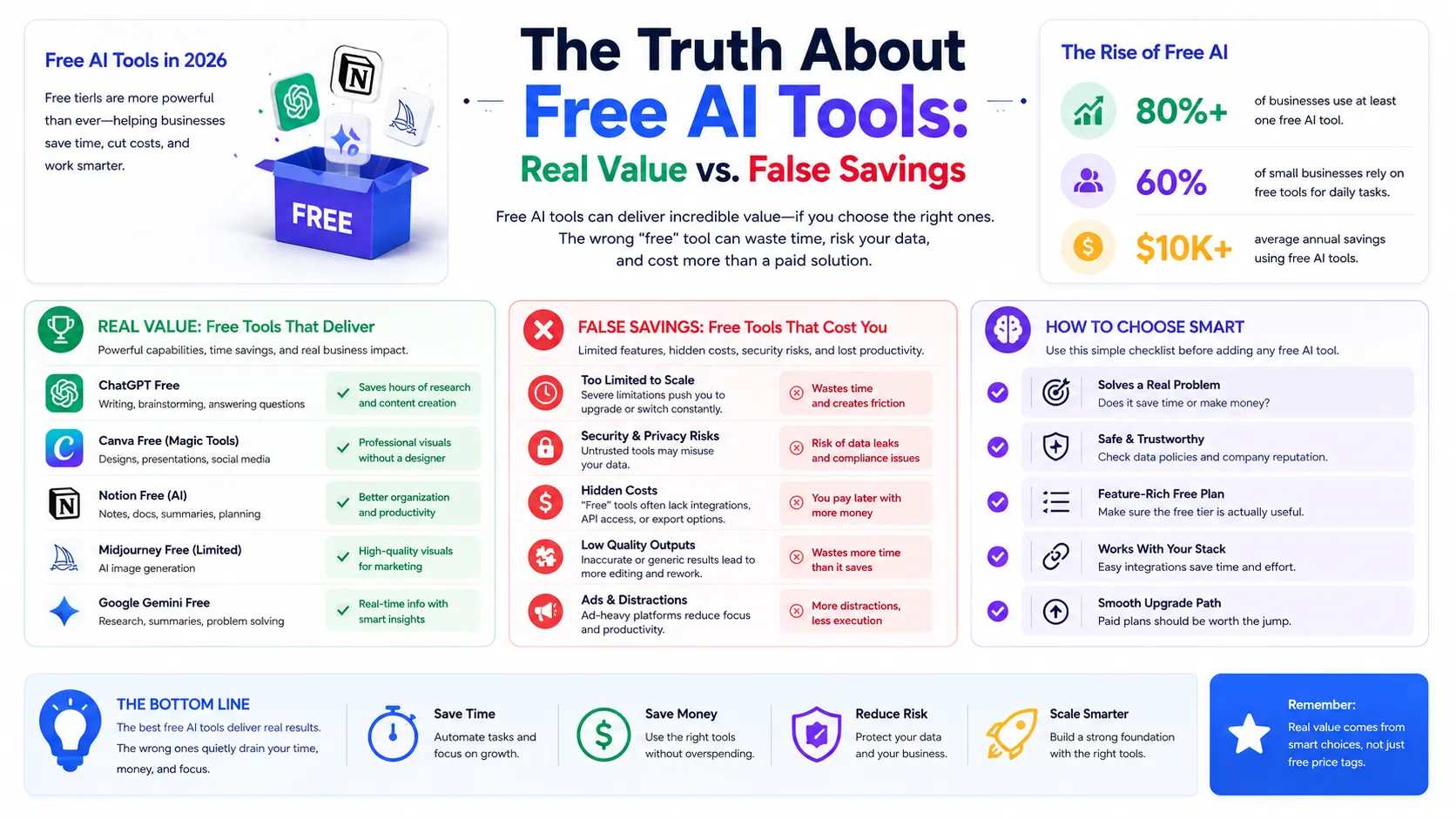
The floor dropped. Free is no longer a downgrade for a lot of real work. Let us start at $0, because in 2026 free is no longer a downgrade for a lot of work. The estimated value of generative AI tools to consumers reached $172 billion a year, and much of that comes from tools that cost little or nothing.
Free tool | What it does well |
|---|---|
ChatGPT / Claude (free) | Writing, brainstorming, research, quick analysis |
HubSpot free CRM | Track leads and contacts |
Mailchimp free | Email marketing up to 500 contacts |
Google Search Console | Understand how people find your site |
Tidio free tier | Automate a small volume of website chats |
The $20 Tier That Does the Heavy Lifting
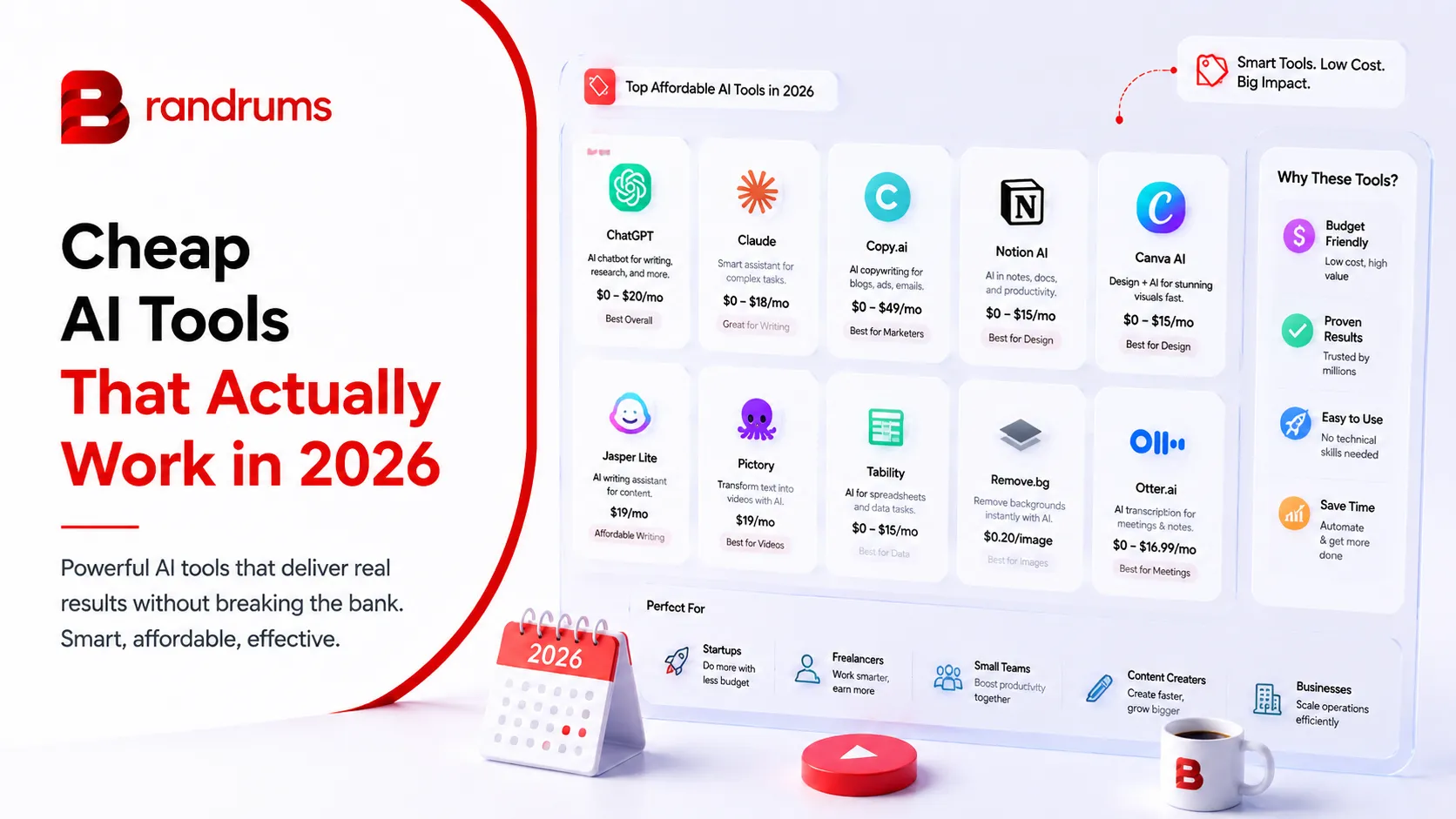
The single best money you will spend on AI is around $20 a month for a paid assistant. ChatGPT Plus, Claude Pro, Gemini, and Perplexity Pro all sit near that price with similar core features. This one upgrade removes the usage caps and slow speeds that make free tiers frustrating once you start to rely on them daily.
Climb this ladder one rung at a time, paying only when a limit actually bites. Stack a few cheap specialists around it and you have a serious kit for under $60 a month total.
Grammarly at around $12 for editing and proofreading.
Otter.ai at around $8 for meeting notes and summaries.
Canva Pro at $13 to $15 for fast, on-brand design.
That is a full content and admin pipeline for the price of a couple of restaurant dinners. For most small businesses, this kit alone covers the majority of day-to-day AI needs. What makes this tier such good value is that the $20 you spend on the assistant is doing the heaviest work in the whole stack. The specialist tools around it are conveniences; the assistant is the engine. So if budget is tight, the priority order is clear: get the one paid assistant first, lean on free tiers for everything else, and add a cheap specialist only when a specific task genuinely demands it. Spending $60 across four tools you barely use is worse than spending $20 on one tool you live in. The goal is not to assemble an impressive-looking stack. It is to remove the specific friction slowing down your actual work, one cheap tool at a time. Mini case study: a small e-commerce shop ran on free and cheap tools for its first six months, free assistant tier for product descriptions, free CRM for customers, and a $13 Canva Pro subscription. Total spend: $13 a month. When sales grew and free limits slowed them down, they upgraded that one tool to $20. Their entire AI stack still cost under $50 a month and handled product copy, email design, and customer tracking for a growing store.
The Bundle Trick Most People Miss
Here is a money-saver a lot of people overlook. Some services bundle multiple AI models into one subscription. Instead of paying $20 each for several assistants, a single bundle can give you access to several models for around $30 total, far less than subscribing to each separately. If you genuinely want more than one model in your toolkit, bundles beat stacking individual subscriptions every time.
The Best Cheap Tool by Category
If you want a quick map of where to spend your limited budget, here is the value pick in each common category. Job to be done
Job to be done | Cheap pick | Rough cost |
|---|---|---|
General thinking and writing | ChatGPT or Claude | $0-$20 |
Editing and proofreading | Grammarly | ~$12 |
Meeting notes | Otter.ai | ~$8 |
Design and visuals | Canva Pro | $13-$15 |
Sourced research | Perplexity (free or Pro) | $0-$17 |
Customer chat | Tidio or similar | $0-$30 |
Email marketing | Mailchimp | $0-$20 |
How to Tell Cheap-and-Good From Cheap-and-Useless
This is the part that actually saves you money. A cheap tool is worth its low price when it ticks three boxes.
Price is not the test. Use is the test.
It saves you measurable time. If a $20 tool saves a few hours a month, it has paid for itself many times over. Tie every tool to hours or dollars saved.
Your team actually uses it. The cheapest tool in the world is expensive if it sits idle. If people work around a tool instead of with it, it has failed, no matter the price.
It does one thing well. Cheap tools that try to do everything usually do nothing properly. The good ones are focused and reliable.
And a tool is a false bargain when you are paying for features you never configured, when you cannot say what it saved you, or when free-tier limits constantly interrupt real work. The fix for that last one is usually the $20 upgrade, not a fancier or more expensive tool. Worth remembering: the cheapest option rarely delivers the best value, while the most expensive does not guarantee success. The right choice depends on matching the tool to a real, repeated task in your business.
The Most Expensive Mistake With Cheap Tools
It is not buying a bad tool. It is buying a pile of decent tools you never set up properly. The advertised price of an AI tool is often only 20 to 40 percent of its true first-year cost once you add the time to learn and configure it. A "cheap" tool you never integrate is just a recurring charge quietly draining your account. So the discipline is simple: add one cheap tool at a time, set it up properly, confirm it is saving you something real, then add the next. Slow is fast here. Five half-configured tools deliver less than one tool you actually mastered.
Turn a Pile of Tools Into a System
At some point off-the-shelf tools hit a wall. Brandrums helps businesses connect and automate them so the value compounds instead of leaking out.
See Our AI SolutionsTalk to Us
Your Cheap-But-Effective Starting Plan
Four steps to a lean AI stack
Start free. Use the free tiers of an assistant and a CRM for a couple of weeks.
Upgrade the one tool you live in. Usually the $20 assistant, once free limits annoy you.
Add cheap specialists one at a time. Editor, transcriber, design, as needs appear.
Measure everything. Keep what saves time, cut what sits idle.
That is how "cheap" turns into "actually works." Not by hunting for the lowest price, but by matching low-cost tools to real needs and being ruthless about cutting the ones that do not earn their keep.
Frequently Asked Questions
What are the best cheap AI tools in 2026?
The best value comes from a $20 AI assistant (ChatGPT Plus, Claude Pro, Gemini, or Perplexity Pro) plus cheap specialists: Grammarly at ~$12 for editing, Otter at ~$8 for meeting notes, and Canva Pro at $13 to $15 for design. A full kit runs under $60 a month. Free tiers of these tools cover a lot of work at $0.
Are there good free AI tools?
Yes. The free tiers of ChatGPT and Claude are genuinely capable for writing, research, and analysis. HubSpot offers a free CRM, Mailchimp is free up to 500 contacts, and Google Search Console is free for SEO. A solo founder can run a useful AI stack at $0 for months.
How do I avoid wasting money on cheap AI tools?
Add one tool at a time, set it up properly, and confirm it is saving you measurable time before adding the next. Cancel anything where most features sit untouched or where you cannot name what it saved you. The advertised price is often only 20 to 40 percent of the true cost once setup time is counted.
Is a cheap AI tool as good as an expensive one?
Often, yes, for small business needs. AI software prices dropped about 15 percent since 2024, and the $20 tier handles most everyday work. The cheapest option rarely delivers the best value if it sits unused, but the most expensive does not guarantee success either. Match the tool to a real, repeated task.
What is the cheapest way to start with AI?
Start completely free with the free tiers of an AI assistant and a CRM. Upgrade to a single $20 assistant only when the free limits start interrupting your work. This gets you genuinely useful AI for either $0 or $20 a month before you spend anything more.
Ready to build the AI setup that fits your business?
Whether you are a solo founder testing the waters or a growing team scaling into serious automation, we help clients pick the lightest AI stack that earns its keep. Same discipline we apply through website development, web application development, SaaS development, and digital marketing retainers. Tell us what you are trying to automate and we will recommend a setup. Or check our pricing options if you are scoping engineering support alongside the tooling.
Tags
About the Author

Daniel Brooks
Daniel covers web development, artificial intelligence, product design, and the technology decisions that help modern businesses grow.